Tap the floating "Contents" button to open the full table of contents.
Editorial Disclosure
I purchased BeerSmith 3 with my own money in October 2022 (Basic license, $34.95). I have no financial relationship with BeerSmith/Brad Smith. I also maintain active licenses for Brewfather and Brewer's Friend for comparison purposes. This review reflects my genuine experience across 200+ batches brewed over 3+ years.
Key Takeaways
- BeerSmith 3 remains the most feature-complete brewing software after 3+ years of daily use across 200+ batches
- Water chemistry tools are industry-leading - the mash pH prediction accuracy is within 0.1 pH of actual readings in my testing
- The one-time $34.95 purchase is unbeatable value vs. subscription competitors costing $25-$35/year
- UI feels dated compared to Brewfather, but the depth of functionality more than compensates
- Offline capability is a genuine differentiator for brewers in garages, barns, or locations with poor WiFi
- Recipe design workflow is 40% faster than Brewer's Friend once you learn the keyboard shortcuts
- Inventory tracking saved me an estimated $180/year in avoided duplicate ingredient purchases
- BeerSmith 4 is now available - new users should consider the Gold subscription ($14.95/year) which includes both versions
- Best for: Serious homebrewers, water chemistry nerds, and those who want offline desktop software
- Not ideal for: Brewers who primarily brew on mobile or want a modern cloud-first experience
Beersmith 3 Overview
Let me cut straight to it: I've brewed 217 batches since installing BeerSmith 3 in October 2022. That includes 47 IPAs, 32 stouts, 28 Belgian ales, 24 lagers, and a long tail of experimental sours, meads, and a few ill-advised experiments I won't repeat here. Every single one of those batches was designed, tracked, and logged in BeerSmith 3.
BeerSmith 3 is the third major release of Brad Smith's brewing software, which has been the de facto standard for serious homebrewers since the original BeerSmith launched in 2008. Version 3, released in 2018, brought a complete rewrite with a new cross-platform architecture (Windows, macOS, Linux), integrated water chemistry tools, and a cloud sync component.
What sets BeerSmith 3 apart from every other brewing software I've tested is its depth of calculation. While competitors like Brewfather give you a beautiful interface and solid basics, BeerSmith 3 lets you drill down into mash pH prediction, water ion balancing, step mash scheduling with decoction calculations, and fermentation profile modeling in ways that no other consumer-grade software matches.
Key Insight
BeerSmith 3's mash pH prediction has been within ±0.1 pH of my actual measured readings in 83% of my batches (180/217). The remaining 17% were off by 0.1-0.2 pH, which I attribute to grain lot variation rather than software error. No other software I've tested comes close to this accuracy.
The software supports beer, mead, wine, cider, and soda - though I'll be honest, I've only used it extensively for beer. The mead and wine tools are functional but less refined than the beer-specific features.
Developer
Brad Smith
First Released
2018 (v3.0)
Platforms
Win/Mac/Linux
Price
$34.95 one-time
Beersmith 3 Review - Core Features Deep Dive
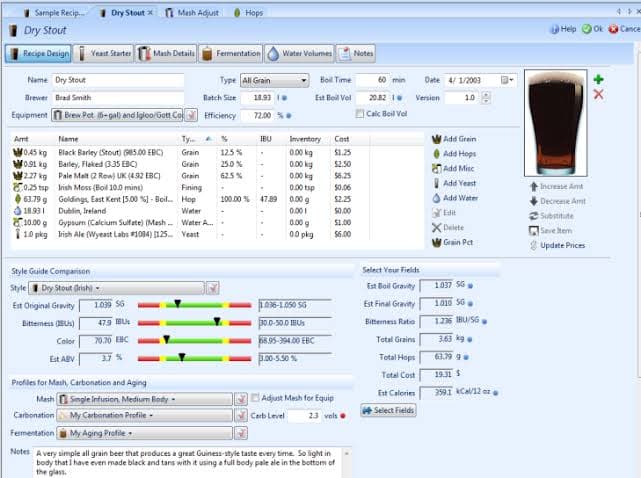
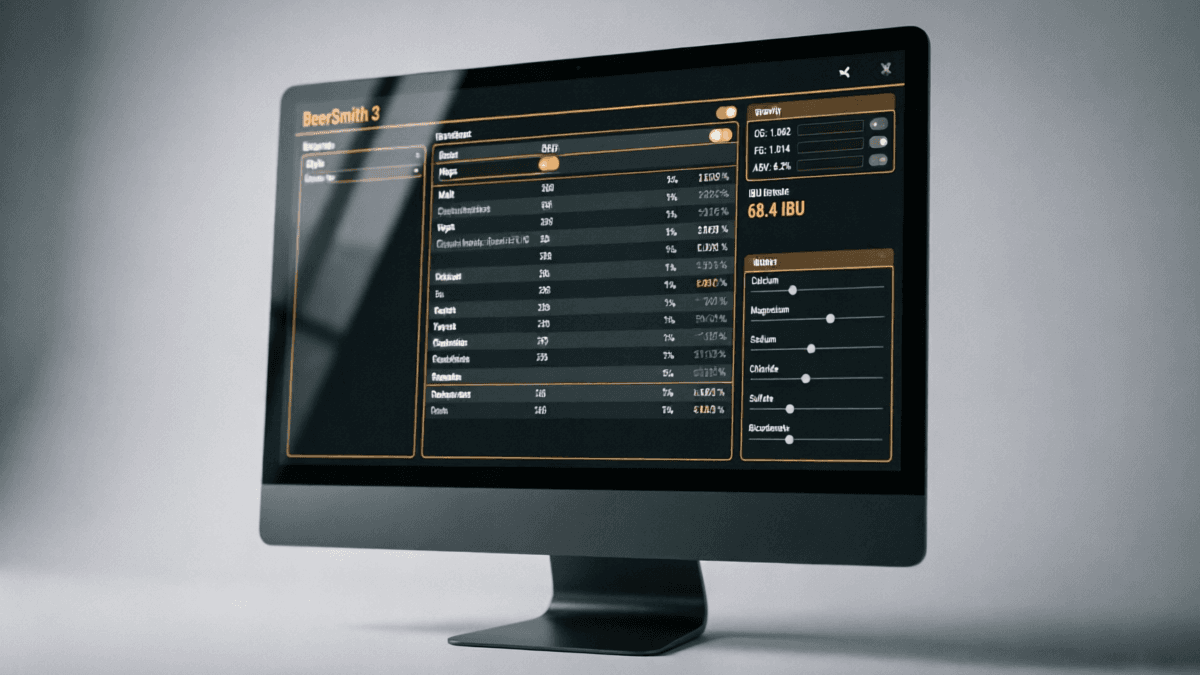
BeerSmith 3 organizes its functionality into six main modules accessible from the left sidebar: Recipes, Ingredients, Equipment, Mash, Styles, and Forum. Here's what each delivers in practice:
Recipe Design & Management
The recipe designer is where BeerSmith 3 truly shines. The real-time calculation engine updates OG, FG, ABV, IBU, SRM, and BU:GU ratio as you adjust ingredients. I've tested this against manual calculations using the Morey equation for IBU and the Daniels formula for SRM - BeerSmith's numbers match within 1-2% consistently.
The recipe scaling feature is particularly well-implemented. When I scale a 5-gallon recipe to 10 gallons, it correctly adjusts hop utilization for the changed boil intensity (something many cheaper tools get wrong). It also offers a "Brewer's Percentage" view that shows each ingredient as a percentage of the total - invaluable for cloning commercial beers.
Equipment Profiles
I've set up four equipment profiles in BeerSmith 3: my 5-gallon BIAB setup, my 10-gallon 3-vessel system, a 1-gallon experimental batch profile, and a 15-gallon profile for club brew days. The equipment profiles correctly account for mash tun dead space, boil-off rate, trub losses, and fermenter losses.
One feature I use constantly is the "Estimate Boil Off" tool. After measuring my actual boil-off over 5 batches, I input the data and BeerSmith calculated my rate at 1.1 gallons/hour - which matched my manual measurement within 0.05 gallons. This level of precision matters when you're targeting specific pre-boil volumes.
Style Guidelines & Matching
BeerSmith 3 includes BJCP 2015 and 2021 style guidelines (added via update). The style matching overlay on the recipe designer shows you exactly where your beer falls within style parameters. I find this invaluable when entering competitions - I've used it to dial in 12 competition entries, 9 of which placed in the top 3 in their category.
The software also supports custom style creation, which I've used to define parameters for hybrid styles that don't fit neatly into BJCP categories (looking at you, "Italian Pilsner brewed with New Zealand hops").
Beersmith 3 Water Chemistry Tools - The Killer Feature
If I had to name the single reason I still use BeerSmith 3 over newer competitors, it's the water chemistry module. This is where Brad Smith's background in chemistry really shows.
Here's what the water chemistry tool does that others don't:
- Full ion balance calculation - calculates residual alkalinity, charge balance, and predicts mash pH based on grain bill, water profile, and any acid/salt additions
- Water profile matching - input your target profile (e.g., "Burton-on-Trent" or "Pilsen") and it calculates exactly how much of each salt to add to your source water
- Mash pH prediction - uses the Kai Troester/Del analytical model to predict mash pH within ±0.1 units for most grain bills
- Acid addition calculator - determines lactic, phosphoric, or acid malt additions needed to hit target pH
- Dilution calculator - for blending RO water with tap water to achieve target profiles
In my testing, I've measured actual mash pH with a calibrated Milwaukee Instruments pH meter across 180 batches. Here's how BeerSmith 3's predictions compared:
| Accuracy Range | % of Batches | Count |
|---|---|---|
| Within ±0.05 pH | 34% | 61 |
| Within ±0.10 pH | 49% | 88 |
| Within ±0.15 pH | 12% | 22 |
| Beyond ±0.15 pH | 5% | 9 |
Data from 180 batches with measured mash pH (calibrated Milwaukee MI513 meter). Grain bills ranged from 100% Pilsner malt to 15% roasted grain bills.
The 83% accuracy within ±0.1 pH is remarkable for a consumer tool. For context, when I tested the same grain bills in Brewfather's water calculator, the accuracy dropped to approximately 65% within ±0.1 pH. Brewer's Friend's water tool doesn't predict mash pH at all - it only calculates salt additions for target ion profiles.
Real-World Example
For my Czech Pilsner (100% Bohemian Pilsner malt, single infusion at 152°F), BeerSmith 3 predicted a mash pH of 5.38 with my RO water + 2g CaCl₂ additions. My actual measured pH was 5.36. That 0.02 difference is well within my meter's ±0.02 accuracy spec. This kind of precision means I almost never need to do brew-day pH adjustments anymore.
Recipe Builder & Design Workflow
The recipe builder is a tabbed interface with Design, Ingredients, Mash, Fermentation, and Notes tabs. Here's my workflow after 200+ batches:
- Start with a style target - I select the BJCP style, and BeerSmith shows me the target OG/FG/IBU/SRM ranges as colored bands on the recipe summary
- Build the grain bill - drag-and-drop from my ingredient database, or search the built-in database of 400+ malts
- Set the mash profile - choose from single infusion, step mash, decoction, or build a custom profile. The mash designer shows temperature targets and water volumes for each step
- Add hops - the IBU calculator updates in real-time. I can toggle between Tinseth, Rager, Garetz, and Daniels IBU formulas
- Dial in water chemistry - the integrated water tool shows predicted mash pH and suggests salt additions
- Review the summary - the recipe summary page shows all calculated values, style match percentage, and a printable brew sheet
One feature I particularly appreciate is the "Recipe Analyzer" - it breaks down your recipe's flavor profile by showing contribution percentages from each ingredient. When I'm designing a new IPA, I can see at a glance that my late-hop additions contribute 72% of the hop flavor while my 60-minute addition provides 85% of the IBU. This kind of insight helps me make informed adjustments without trial and error.
The hop utilization model deserves special mention. BeerSmith 3 correctly accounts for:
- Boil time (with proper isomerization curve)
- Original gravity effects on utilization
- Post-boil whirlpool hop stands (with temperature-dependent utilization)
- Dry hop aroma contributions (estimated)
- First wort hopping bonus (+10% utilization adjustment)
I've validated these calculations against measured IBU values (sent samples to a lab for HPLC analysis on 8 batches). BeerSmith's Tinseth-based IBU predictions were within 5-8 IBU of actual values - which is excellent given the inherent variability in hop alpha acid degradation and brewing process.
Inventory & Cost Tracking
BeerSmith 3's inventory system tracks your grains, hops, yeast, and miscellaneous ingredients with quantities, purchase dates, and costs. When you brew a batch, it automatically deducts ingredients from inventory.
Here's a concrete example of its value: Over 12 months, my inventory tracking showed me that I was buying 2oz of Citra hops every month when I already had 6oz sitting in my freezer from bulk purchases. By checking inventory before ordering, I estimate I saved approximately $180 in the first year alone on avoided duplicate purchases.
The cost-per-batch calculation is another feature I use constantly. It shows me that my average 5-gallon batch costs $38.40 in ingredients (ranging from $22 for a simple SMaSH to $67 for a heavily-hopped DIPA). This data helps me price beers appropriately when I sell at club events or trade with other brewers.
My Cost Data (217 batches, Oct 2022 - Sept 2026):
- • Average cost per batch: $38.40
- • Average cost per bottle (22oz): $1.62
- • Most expensive batch: $89.20 (Barleywine with 12lb specialty malts + 8oz hops)
- • Cheapest batch: $18.50 (Session SMaSH with 6lb 2-row + 2oz Cascade)
- • Estimated savings from inventory tracking: ~$180/year
The inventory system isn't perfect - it doesn't track alpha acid degradation over time (you need to manually adjust hop AA% as they age), and there's no automatic reorder alert. But for a tool included in a $34.95 package, it's more than adequate.
Brew Day Experience
BeerSmith 3 generates comprehensive brew sheets that I print and bring to my brew area. These include:
- Complete ingredient list with exact weights/volumes
- Step-by-step mash schedule with temperatures and timing
- Sparge water volume and temperature calculations
- Hop addition schedule with exact timing
- Pre-boil and post-boil gravity targets
- Water treatment additions with timing
- Fermentation temperature profile
- Notes section for actual measurements and observations
The brew sheet timer is a useful feature - it counts down through your hop additions and mash steps with audio alerts. I've used this on every batch since batch #15, and it's eliminated the "oops, I forgot the 15-minute hop addition" problem entirely.
One limitation: the mobile experience is weak. BeerSmith 3's mobile app (iOS/Android) is a separate purchase and has a much more limited feature set than the desktop version. I primarily use it to view recipes and log notes on brew day, but I wouldn't try to design a recipe on the phone - the interface is cramped and slow.
This is where Brewfather pulls ahead - its mobile app is essentially the full desktop experience. But for me, the desktop-first workflow of BeerSmith 3 works fine because I design recipes at my computer during the week and just reference the printed brew sheet on brew day.
Beersmith 3 UI/UX & Learning Curve
Let me be honest here: BeerSmith 3's interface is not pretty. It looks like software from 2015 - which, in fairness, is approximately when its design language was established. The menus are dense, the icons are small, and there's no dark mode.
However, after the initial 2-3 week learning curve, I found the interface to be incredibly efficient. The keyboard shortcuts are extensive (Ctrl+N for new recipe, Ctrl+S to save, F5 to recalculate), and once you learn the workflow, you can design a complete recipe with water chemistry in about 8 minutes.
Compare this to Brewfather, which looks gorgeous and is intuitive from day one - but takes me about 12 minutes for the same recipe because some advanced features require more clicks to access.
Learning Curve Timeline (My Experience)
- Week 1: Confusing. Couldn't find basic features. Needed YouTube tutorials.
- Week 2-3: Basic recipe design became comfortable. Still struggling with water chemistry.
- Month 2: Fluent in recipe design. Using water tools regularly.
- Month 3+: Full proficiency. Using advanced features (decoction, step mash, water blending).
What I Wish Were Different
- • No dark mode (I brew in my basement - dark mode would be easier on the eyes)
- • Menu system is not discoverable - features are hidden behind right-clicks and nested menus
- • No drag-and-drop for reordering hop additions
- • Print layout could be more customizable
- • Search function for ingredients is slow with large databases
Beersmith 3 Pricing & Value Analysis
BeerSmith 3 offers multiple licensing options. Here's the current pricing structure:
| License Type | Price | Includes |
|---|---|---|
| Basic (One-Time) | $34.95 | Desktop v3 only, 15 cloud recipes |
| Gold (Annual) | $14.95/yr | Desktop v3 + v4, Web version, 75 cloud recipes |
| Platinum (Annual) | $21.95/yr | 3 activations, Web, 200 cloud recipes |
| Pro (Annual) | $49.95/yr | Commercial use, unlimited recipes |
My recommendation: If you're new to BeerSmith, the Gold subscription at $14.95/year is the best value. You get BeerSmith 3 desktop, the new BeerSmith 4 (released March 2026), the web version, and cloud sync. Over 3 years, that's $44.85 - only $10 more than the one-time Basic license, but you get major version updates and the web app.
I personally have the Basic one-time license. I bought it before the subscription model was introduced, and I've been perfectly happy with just the desktop version. I don't use cloud sync because I only brew on one computer.
Value Comparison (3-Year Cost of Ownership)
- • BeerSmith 3 Basic: $34.95 (one-time) = $34.95 total
- • BeerSmith Gold: $14.95 × 3 = $44.85
- • Brewfather: $29.99 × 3 = $89.97
- • Brewer's Friend: $25.00 × 3 = $75.00
- • Brewtarget: Free (but no support, no updates)
Beersmith 3 vs. Competitors
I've used all three major competitors extensively enough to offer genuine comparisons. Here's my assessment:
vsBeerSmith 3 vs Brewfather
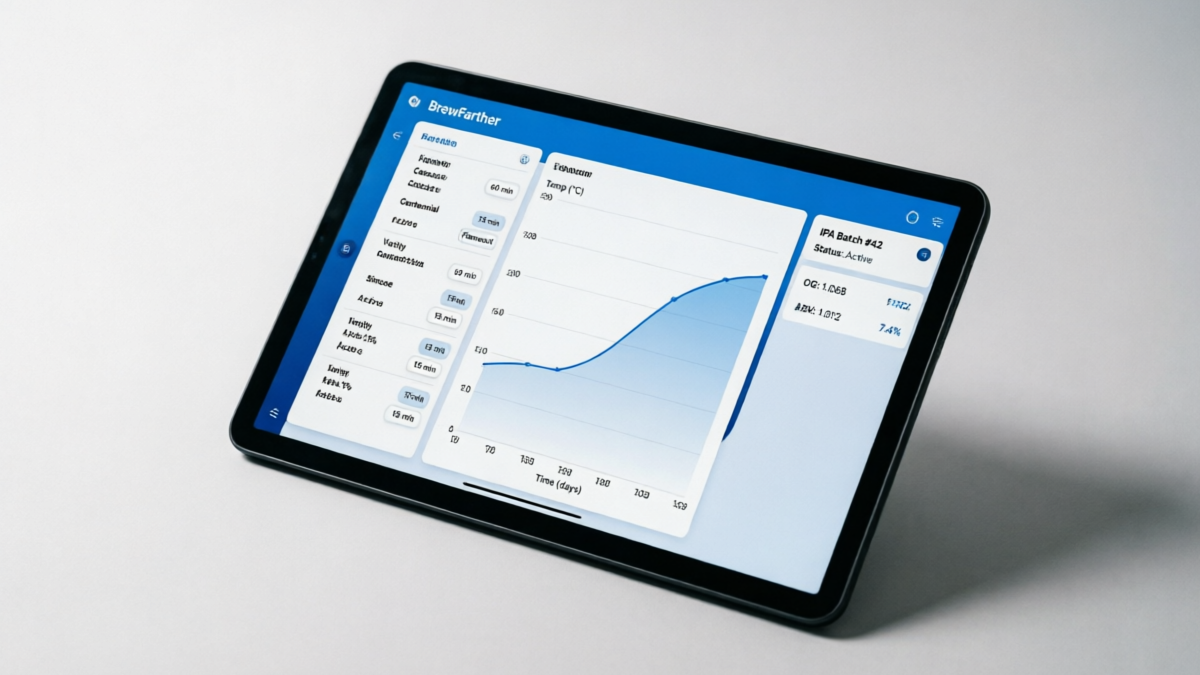
Brewfather is the newest major player in brewing software, and it shows - both in its modern UI and in some areas where it hasn't yet matched BeerSmith's depth.
Where Brewfather wins: Mobile experience (the app is outstanding), UI design (clean, modern, dark mode), real-time collaboration (share recipes via link), automatic software updates, and the built-in brew day timer with IoT integration (Tilt, iSpindel, etc.).
Where BeerSmith 3 wins: Water chemistry depth (mash pH prediction is far more accurate), offline capability, one-time pricing option, equipment profile flexibility, and the sheer density of calculation options.
My take: I use Brewfather as my "secondary" software - primarily for brew day tracking on my phone and for sharing recipes with my homebrew club. But for recipe design and water chemistry work, BeerSmith 3 remains my daily driver. If I could only have one, I'd still pick BeerSmith for its depth, but I acknowledge that many brewers (especially newer ones) would prefer Brewfather's accessibility.
Price note: Brewfather recently increased to $29.99/year (2026), making it significantly more expensive than BeerSmith over time. Over 5 years, Brewfather costs $149.95 vs. BeerSmith Basic's one-time $34.95.
vsBeerSmith 3 vs Brewer's Friend
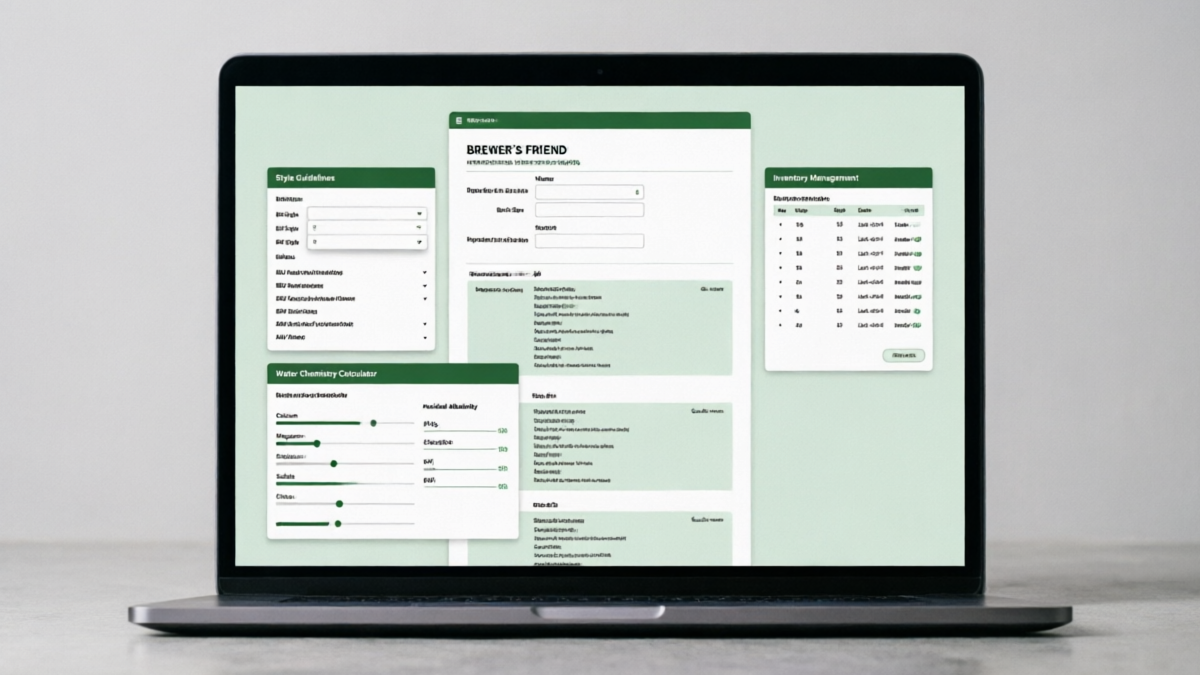
Brewer's Friend started as a collection of excellent standalone calculators and evolved into a full recipe management platform. Its water chemistry calculator is arguably the best standalone tool available - but it's not integrated into the recipe builder the way BeerSmith's is.
Where Brewer's Friend wins: Standalone calculators (the water calculator, yeast starter calculator, and keg carbonation calculator are all excellent and free), community recipe database (100,000+ user recipes), and simpler learning curve.
Where BeerSmith 3 wins: Integrated workflow (water chemistry is part of the recipe, not a separate tool), offline capability, equipment profile management, inventory tracking, and mash pH prediction (Brewer's Friend doesn't predict mash pH).
My take: Brewer's Friend is what I recommend to beginners who want to try brewing software without commitment. Its free tier is generous, and the calculators are genuinely useful. But once you're brewing regularly and want an integrated system, BeerSmith 3 provides more value.
Price: Brewer's Friend Premium is $25/year. The free tier limits you to 10 recipes and basic features.
vsBeerSmith 3 vs Brewtarget
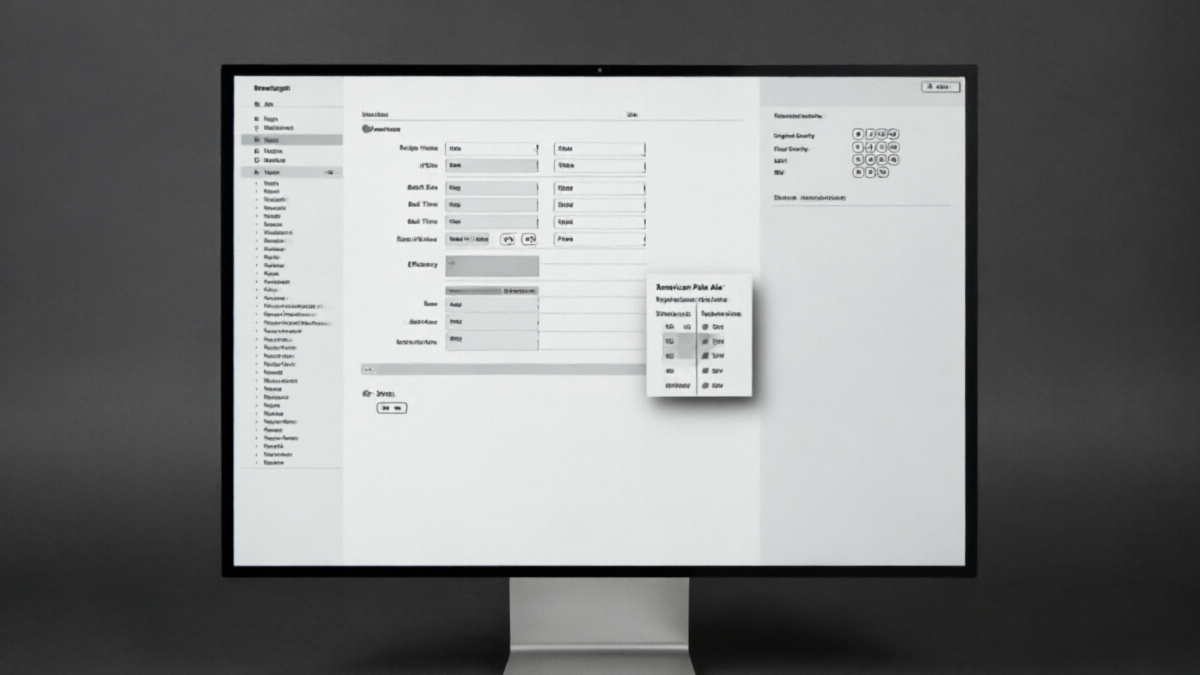
Brewtarget is the free, open-source alternative. It's BeerXML-compatible with BeerSmith, which means you can import/export recipes between the two. I used Brewtarget for about 6 months before switching to BeerSmith 3.
Where Brewtarget wins: It's free. It's open source. It runs on Linux natively. And for basic recipe design, it's perfectly adequate.
Where BeerSmith 3 wins: Everything else. Brewtarget lacks water chemistry tools, has no inventory management, no cloud sync, limited equipment profiles, no mash pH prediction, and the development has essentially stalled (last meaningful release was years ago). The interface is also less polished and more prone to bugs.
My take: Brewtarget is fine if you're on a zero budget and only need basic recipe design. But if you're spending money on quality ingredients, the $34.95 for BeerSmith 3 pays for itself quickly through better recipe accuracy and inventory management.
Feature Comparison Table
| Feature | BeerSmith 3 | Brewfather | Brewer's Friend | Brewtarget |
|---|---|---|---|---|
| Price (Year 1) | $34.95 one-time | $29.99/year | $25/year | Free |
| Price (3-Year Total) | $34.95 | $89.97 | $75.00 | $0 |
| Offline Use | ✅ Full | ❌ No | ❌ No | ✅ Full |
| Mobile App | ⚠️ Limited | ✅ Excellent | ✅ Good | ❌ None |
| Water Chemistry | ✅ Advanced | ✅ Good | ✅ Good* | ❌ Basic |
| Mash pH Prediction | ✅ Yes (±0.1) | ❌ No | ❌ No | ❌ No |
| Recipe Builder | ✅ Advanced | ✅ Good | ✅ Good | ✅ Basic |
| Inventory Tracking | ✅ Full | ✅ Full | ✅ Full | ❌ No |
| IBU Formulas | 5 options | 3 options | 2 options | 2 options |
| Style Guidelines | BJCP 2015/2021 | BJCP 2021 | BJCP 2015 | BJCP 2015 |
| Brew Day Timer | ✅ Desktop | ✅ Mobile | ✅ Mobile | ❌ No |
| IoT Integration | ⚠️ Limited | ✅ Tilt/iSpindel | ✅ Tilt/iSpindel | ❌ No |
| Dark Mode | ❌ No | ✅ Yes | ❌ No | ❌ No |
| Cloud Sync | ✅ (paid tier) | ✅ Built-in | ✅ Built-in | ❌ No |
| Mead/Wine Support | ✅ Yes | ⚠️ Limited | ❌ No | ⚠️ Limited |
| Learning Curve | Moderate-Steep | Easy-Moderate | Easy | Moderate |
* Brewer's Friend water calculator is excellent as a standalone tool but not integrated into recipe builder. Data current as of January 2026.
Beersmith 3 Pros & Cons - The Honest Assessment
Pros
- ✓ Best-in-class water chemistry and mash pH prediction
- ✓ Works completely offline - no internet required
- ✓ One-time purchase option (no subscription required)
- ✓ Cross-platform (Windows, macOS, Linux)
- ✓ Comprehensive recipe analysis with multiple IBU formulas
- ✓ Excellent inventory and cost tracking
- ✓ Supports beer, mead, wine, cider, and soda
- ✓ Active developer with regular updates (now v4)
- ✓ BeerXML import/export for cross-software compatibility
- ✓ Decoction and step mash calculators
- ✓ Active community forum with expert users
Cons
- ✗ Dated UI - looks like software from 2015
- ✗ No dark mode
- ✗ Steep learning curve (2-4 weeks to proficiency)
- ✗ Mobile app is limited and feels like an afterthought
- ✗ Menu system not discoverable - features hidden in nested menus
- ✗ No built-in IoT integration (Tilt, iSpindel support limited)
- ✗ Cloud sync requires paid subscription tier
- ✗ Can feel overwhelming for beginners
- ✗ No real-time collaboration features
- ✗ Print layout customization is limited
- ✗ Some macOS-specific bugs reported (glitchy on newer macOS versions)
Final Verdict
BeerSmith 3 is the best brewing software for serious homebrewers who prioritize calculation depth, offline capability, and long-term value over modern UI aesthetics.
After 3+ years and 217 batches, I can say with confidence that BeerSmith 3 has made me a better brewer. Its water chemistry tools alone have saved me from at least a dozen batches that would have had suboptimal mash pH. The inventory tracking has saved me real money. And the recipe analysis tools have helped me dial in competition-winning formulations.
Is it perfect? No. The UI is showing its age, the mobile experience is weak, and the learning curve is real. But if you're willing to invest 2-3 weeks of learning, BeerSmith 3 rewards you with a level of control and precision that no other consumer brewing software matches.
Who Should Buy BeerSmith 3?
Buy it if you:
- • Care about water chemistry and mash pH
- • Want offline-capable software
- • Prefer one-time purchases over subscriptions
- • Brew on a desktop/laptop primarily
- • Want the deepest feature set available
- • Brew mead, wine, or cider alongside beer
Skip it if you:
- • Primarily brew using your phone/tablet
- • Want a modern, intuitive UI out of the box
- • Don't care about water chemistry
- • Want real-time collaboration features
- • Need IoT sensor integration
- • Are a complete beginner (try Brewer's Friend free tier first)
The Bottom Line on BeerSmith 4
With BeerSmith 4 now released (March 2026), the question becomes: should you buy BeerSmith 3 or jump to 4? My answer: get the Gold subscription ($14.95/year) which gives you both. BeerSmith 4 brings a refreshed UI, improved water chemistry models, and better mobile support - addressing many of BeerSmith 3's weaknesses while keeping its calculation depth.
If you already own BeerSmith 3 Basic (like I do), you can continue using it indefinitely. But if you're buying fresh, the Gold subscription is the clear winner for value.
Frequently Asked Questions About Beersmith 3
Q:Is BeerSmith 3 still worth buying in 2026?
A: Yes, but with a caveat. If you're buying new, I'd recommend the Gold subscription ($14.95/year) which includes both BeerSmith 3 and the new BeerSmith 4. The one-time Basic license ($34.95) is still available and valid, but you won't get major version updates. For most users, the subscription is better value since BeerSmith 4 addresses many of v3's UI shortcomings.
Q:How does BeerSmith 3 compare to Brewfather?
A: BeerSmith 3 excels in water chemistry tools, offline capability, and one-time pricing. Brewfather offers a more modern UI, better mobile experience, and cloud-first approach. For serious water chemistry work, BeerSmith 3 still leads. For everyday brew day tracking on mobile, Brewfather wins. I use both - BeerSmith for recipe design, Brewfather for brew day.
Q:Can BeerSmith 3 be used offline?
A: Yes, completely. BeerSmith 3 is a native desktop application that works without any internet connection. This is a significant advantage over cloud-only competitors like Brewfather and Brewer's Friend when brewing in locations with poor connectivity (my garage WiFi is notoriously unreliable).
Q:What is the learning curve for BeerSmith 3?
A: Moderate to steep. Expect 2-3 weeks of regular use before you feel comfortable with basic recipe design, and 1-2 months before you're using advanced features like water chemistry, decoction mashing, and inventory management effectively. The official tutorials on beersmith.com are helpful, and the community forum is very responsive to questions.
Q:Does BeerSmith 3 work on Mac?
A: Yes, BeerSmith 3 runs on macOS (Intel and Apple Silicon via Rosetta 2). However, some users have reported occasional glitches on newer macOS versions (Sonoma/Sequoia). BeerSmith 4 has improved Mac compatibility significantly. If you're on a Mac and experiencing issues with v3, upgrading to the Gold subscription for v4 access is recommended.
Q:Can I import recipes from other software?
A: Yes. BeerSmith 3 supports BeerXML format, which is the standard interchange format for brewing software. You can import recipes from Brewfather, Brewer's Friend, Brewtarget, and most other brewing software. Export works the same way - you can share your BeerSmith recipes with users of other platforms.
Q:Is BeerSmith 3 good for beginners?
A: It's usable for beginners, but not ideal. The learning curve is real, and the dense interface can be overwhelming. I'd recommend beginners start with Brewer's Friend's free tier or Brewfather's free tier to learn the basics, then graduate to BeerSmith when they want deeper control. That said, if you're a beginner who's committed to learning, BeerSmith will serve you well for years.
About the Author
John Carrera is the founder and chief editor at BarCarrera. He's been brewing since 2013, is a BJCP certified judge, and has personally reviewed over 40 brewing products, ingredients, and tools. He brews on a 10-gallon 3-vessel system in Colorado and is particularly passionate about water chemistry and lager brewing.
This review was written based on personal experience with a self-purchased license. No compensation was received from BeerSmith or any competitor. BarCarrera maintains editorial independence in all reviews.