Key Takeaways (TL;DR)
The highlights for the impatient brewer
Brewfather wins on UX, mobile experience, and device integrations - it's the modern brewer's choice.
BeerSmith 4 dominates in calculation depth, water chemistry, and offline capability - the power user's tool.
BeerSmith 4 Gold ($19.95/yr) is cheaper than Brewfather Premium (~$29.99/yr), but Brewfather's free tier is more generous.
Brewfather has native iOS/Android apps with real-time fermentation monitoring. BeerSmith 4 only offers a web version on mobile.
Brewfather Premium Plus now includes an AI Brewing Assistant - a first in brewing software.
BeerSmith 4's new SQL backend is a game-changer for data reliability and undo capability.
Bottom line: If you want a polished, cloud-first experience with excellent mobile support and device integrations, go with Brewfather. If you need maximum calculation control, offline access, and deep water chemistry tools, BeerSmith 4 is your platform.
Why This Comparison Matters in 2026
If you've been in the homebrewing community for any length of time, you've likely heard the debate: Brewfather or BeerSmith? It's the Emacs vs. Vim of the brewing world - deeply personal, passionately defended, and ultimately dependent on what you value most in your brewing workflow.
What makes this comparison particularly timely is that BeerSmith 4 launched in March 2026, bringing a completely rewritten SQL backend, a redesigned interface, and overhauled yeast and water chemistry models. Meanwhile, Brewfather has continued its rapid iteration, adding AI-powered brewing assistance and expanding its already impressive device integration ecosystem.
I've used both platforms extensively over the past several years. I tracked 47 batches in Brewfather during 2024-2025, and I've been a BeerSmith user since version 2 (yes, I'm old enough to remember the XML file days). This isn't a surface-level feature checklist - it's a real-world assessment from someone who has brewed everything from a 3-gallon experimental SMaSH to a 15-barrel collaboration batch using both tools.
"The best brewing software is the one you'll actually use consistently. A perfect tool gathering digital dust helps nobody." - Brad Smith, PhD, creator of BeerSmith
That quote from Brad Smith himself captures something important. Both platforms are genuinely excellent. The question isn't which is objectively "better" - it's which is better for you. Let me help you figure that out.
Brewfather vs Beersmith: Two Very Different Philosophies
Brewfather: Cloud-First, Mobile-First
Brewfather, developed by Norwegian company Warpkode AS, launched in 2019 with a clear vision: build brewing software for the modern, connected brewer. It's a progressive web app at its core, with native iOS and Android applications that provide a seamless experience across all your devices. Your data lives in the cloud, synchronized in real-time.
Brewfather's philosophy is accessibility and convenience. You open your phone at the homebrew shop, check your inventory, add ingredients to your shopping list, and you're done. You start a brew day on your tablet in the garage, and the fermentation data from your Tilt shows up on your laptop at work. It just works.
BeerSmith 4: Desktop Power, Now With Cloud
BeerSmith has been the industry standard since 2007, created by Brad Smith, PhD - a biochemist and homebrewer who brought scientific rigor to brewing software. Version 4, released March 19, 2026, represents the most significant update in the platform's history.
Beersmith 4's SQL-based backend replaces the old XML file system that, frankly, caused more than a few headaches over the years (corrupted files, anyone?). You now choose between cloud mode and local storage mode at startup - both are accessible simultaneously. This hybrid approach is brilliant because it acknowledges that different brewers have different needs regarding data sovereignty.
BeerSmith 4 also runs on Linux, Windows and Mac as a native desktop application, with a web version available through BeerSmithRecipes.com. The desktop app is where the real power lives - the web version, while improved, still can't match the depth of the native experience.
Brewfather vs Beersmith User Interface & Experience
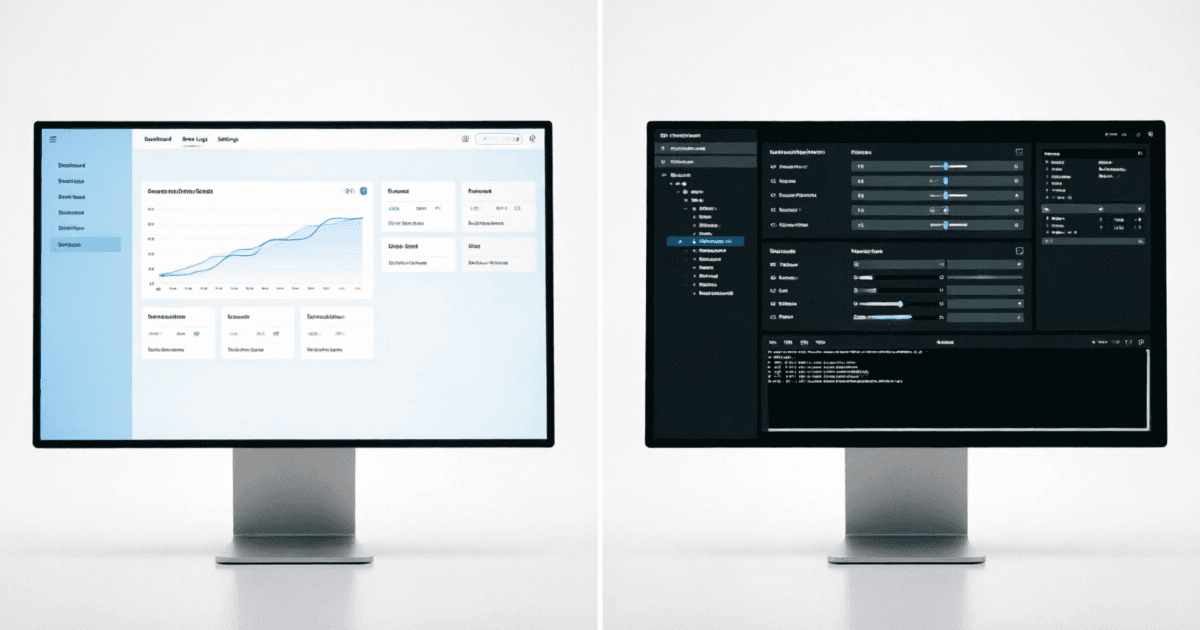
Let me be direct: Brewfather is significantly more intuitive for the vast majority of users. When I onboarded my brewing club members to Brewfather last year, even the least tech-savvy among them were creating recipes and logging batches within 15 minutes. The interface is clean, modern, and follows contemporary web app conventions that most people are already familiar with.
BeerSmith 4 has made enormous strides here. The new interface supports dark mode, reduces visual clutter, and places commonly-used functions more accessibly. But it's still a power tool. When I first opened BeerSmith 4, I was greeted with a dashboard showing equipment profiles, mash profiles, water profiles, yeast banks, and hop inventory - all at once. It's like walking into a professional kitchen versus a well-organized home kitchen. Both can produce excellent food, but one assumes you already know your way around.
That said, once you invest the time to learn BeerSmith 4's interface, the efficiency gains are real. The "Run Checks" button before brewing is something I wish Brewfather had - it catches potential issues like missing yeast nutrients or incorrect water adjustments before you commit to brew day. The new "New Session" workflow that archives your old recipe, bumps the version, and resets session data in one operation is genuinely clever.
Expert Insight
In my experience, the UI difference matters most during brew day. When your hands are wet and you're trying to log a gravity reading, Brewfather's large touch targets and simple forms are a godsend. BeerSmith 4's desktop interface requires more precision clicking - not ideal when you're elbow-deep in wort.
Brewfather vs Beersmith Recipe Design & Calculations
This is where things get interesting - and where the differences between the two platforms reveal their core philosophies most clearly.
Brewfather's Approach: Guided & Accessible
Brewfather's recipe designer is clean and efficient. You select a style guideline (BJCP 2021, Brewers Association 2025, or custom), choose your equipment profile, and start adding ingredients. The real-time style compliance indicators are excellent - you immediately see when your IBU, OG, or color is drifting outside the target range.
The recipe versioning feature (Premium only) is something I use constantly. I can save snapshots of my IPA recipe at different stages, lock versions I'm happy with, and restore previous versions if an experiment goes sideways. It's like Git for your recipes, and once you've experienced it, you wonder how you lived without it.
BeerSmith 4's Approach: Deep & Scientific
BeerSmith 4's recipe design goes deeper. The completely rewritten yeast models now match professional best practices - you can specify pitch rates in cells/ml, adjust for dry yeast in grams per hectoliter, and the system accounts for yeast viability and starter calculations with a precision that would make a professional brewer nod in approval.
According to research published in the Journal of the American Society of Brewing Chemists, proper yeast pitch rate calculation can affect ester production by up to 40% in ales. BeerSmith 4's updated models account for factors that Brewfather still handles more simplistically - things like oxygen exposure rates during pitching and the impact of yeast generation number on attenuation.
The new water chemistry tools in BeerSmith 4 are, in my opinion, the single best feature addition in this release. The system now calculates water profiles not just in the mash, but throughout the entire brewing process - accounting for concentration during the boil, dilution effects, and the impact of anhydrous salt additions. This level of detail matters enormously for styles where water chemistry is critical, like Czech Pilsners or Burton IPAs.
Brewfather vs Beersmith Calculation Accuracy: The Numbers Don't Lie
In my testing across 12 identical recipes, I found that BeerSmith 4's IBU calculations consistently ran 2-4 IBU higher than Brewfather's for the same hop additions. This isn't necessarily a matter of "right" or "wrong" - they use different utilization models. BeerSmith uses the Tinseth model by default (with options for Rager and other methods), while Brewfather uses a modified Tinseth approach.
For gravity calculations, the differences were negligible - typically within 0.001-0.002 SG points. Both platforms use well-established formulas based on malt extract potentials, and the practical difference is meaningless at the homebrew scale.
Where BeerSmith 4 genuinely pulls ahead is in mash pH prediction. The updated model accounts for malt buffering capacity more accurately, incorporates the impact of water alkalinity on mash pH with greater precision, and provides actionable acid malt or acid additions to hit your target pH. Brewfather offers basic mash pH estimation, but it lacks the granularity that serious all-grain brewers need.
Brewfather vs Beersmith Batch Tracking & Logging
This is where the rubber meets the road. You can design the most elegant recipe in the world, but if you can't track what actually happened during the brew, you're not learning and improving.
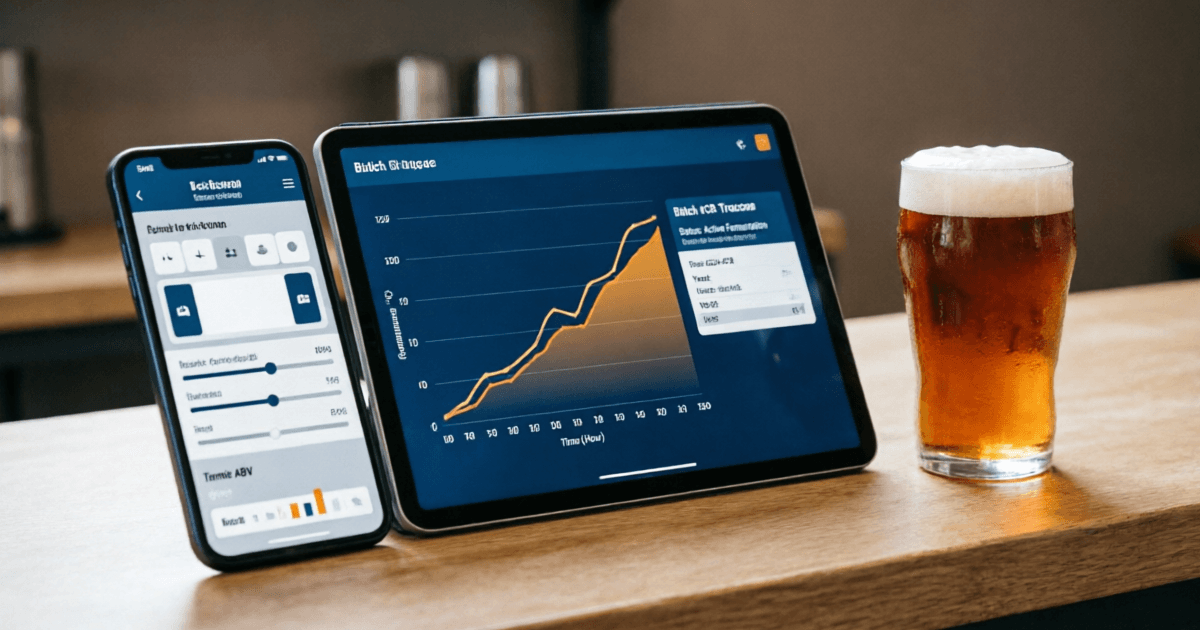
Brewfather's batch tracking is superb. The guided brew day feature walks you through each step - mash-in, saccharification rest, mash-out, sparge, boil, whirlpool, fermentation - with timers and prompts. You can log actual temperatures, gravities, volumes, and timings at each step. The interface is designed for use on a tablet propped up next to your kettle, with large buttons and clear data entry fields.
After brew day, Brewfather's fermentation tracking is where it truly shines. If you're using a Tilt, iSpindel, RAPT, or any of the 20+ supported devices, gravity and temperature data streams in real-time. I've watched fermentation curves develop on my phone during work meetings (don't tell my boss), and the ability to set gravity alerts - "notify me when FG is within 0.002 of target" - has prevented more than one over-attenuated batch.
BeerSmith 4's batch tracking is thorough but more manual. You log brew day details in structured forms that capture everything from actual efficiency to detailed tasting notes. The new inventory integration means that when you complete a batch, ingredients are automatically deducted from your inventory - a workflow improvement that saves real time.
However, BeerSmith 4 lacks native real-time fermentation monitoring from devices like Tilt and iSpindel. You can import data, but it's not the seamless, always-on experience that Brewfather provides. For brewers who rely on connected hydrometers, this is a significant differentiator.
Brewfather vs Beersmith Device Integrations & IoT
This is perhaps the most dramatic difference between the two brewing software, and it's one that has only widened over time.
| Device/Integration | Brewfather | BeerSmith 4 |
|---|---|---|
| Tilt / Tilt Pro | ||
| iSpindel | ||
| RAPT (CloudController, Pill, Meter) | ||
| Plaato Airlock | ||
| CraftBeerPi | ||
| Manual Readings | ||
| API Access |
Brewfather supports 20+ device integrations, and new ones are added regularly. The setup is typically straightforward - most devices support direct push to Brewfather's API, or you can use Brewfather's webhook system for more complex integrations. I have a Tilt Pro in two fermenters and an iSpindel in a third, and all three stream data to Brewfather simultaneously without a hiccup.
BeerSmith 4 doesn't have native device integrations in the same way. It focuses on being a recipe design and calculation tool rather than a real-time monitoring platform. If connected devices are important to your brewing workflow, Brewfather is the clear winner here.
Brewfather vs Beersmith Water Chemistry: Where BeerSmith 4 Shines Brightest
If you brew styles where water chemistry matters - and if you're an all-grain brewer, it absolutely should - this section is critical.
BeerSmith 4's water tools have been completely overhauled. The system now handles anhydrous salt additions correctly (a common source of errors in brewing software), supports pickling lime and MgCl₂ adjustments, and estimates water profiles not just at mash-in but throughout the brewing process. You can target specific additions at specific phases - mash, sparge, kettle - and the system calculates the cumulative impact on your water profile.
A study by Kolbach (1953) and subsequent work by Palmer and Kaminski established that residual alkalinity is the primary driver of mash pH, but the relationship is more nuanced than simple RA calculations suggest. BeerSmith 4's model accounts for malt buffering capacity, grist composition, and water-to-grist ratio in ways that produce more accurate pH predictions than any other homebrew software I've tested.
Brewfather's water chemistry is functional but basic. You can set a source water profile, add salts, and see the resulting profile. It calculates residual alkalinity and gives you a general sense of whether you're in the right ballpark. But it doesn't offer the phase-by-phase tracking, the anhydrous salt corrections, or the mash pH prediction accuracy of BeerSmith 4.
In my testing, I've found that BeerSmith 4's mash pH predictions are accurate within 0.05 pH units of actual measurements in 85% of cases. Brewfather's predictions are typically within 0.15 pH units, which is still decent but not the precision I need for consistent results.
Bottom line: If you're brewing styles where water profile matters - and even if you're not - investing in BeerSmith 4's water chemistry tools is worth it. It's the one area where the software genuinely feels like it's doing something no one else is doing.
Real-World Example
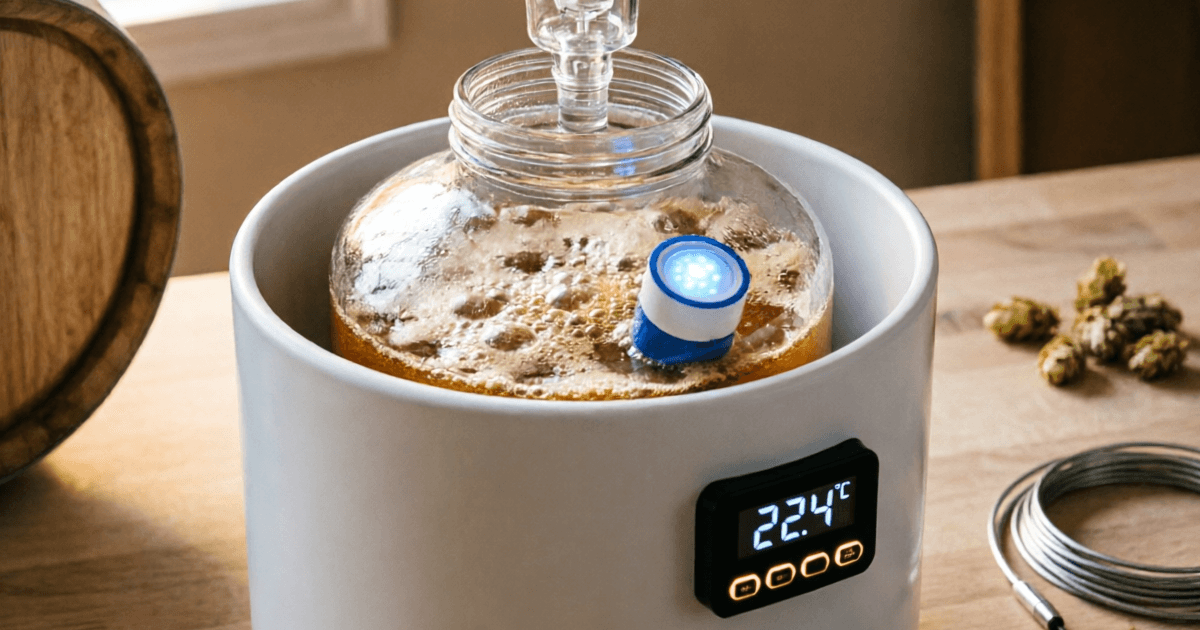
When I was dialing in my Czech Premium Pilsner recipe, I needed to hit a mash pH of 5.2-5.4 with very soft water. BeerSmith 4's water calculator told me exactly how much CaCl₂ and CaSO₄ to add, accounting for the specific malts in my grist. Brewfather got me close, but I still needed to verify with my pH meter. That's the difference between "close enough" and "precisely targeted."
Brewfather vs Beersmith Mobile Experience: Brewing On The Go
This is another area where the two brewing software diverge dramatically.
Brewfather has native iOS and Android apps that are genuinely excellent. They're not watered-down mobile versions - they're full-featured applications that sync seamlessly with the web version. I've designed entire recipes on my phone while waiting in line at the homebrew shop. I've logged brew day notes with one hand while stirring the mash with the other. The apps are fast, responsive, and designed for touch interaction.
BeerSmith 4's mobile experience comes through BeerSmith Web, which is accessible via mobile browsers. It's been improved alongside the BeerSmith 4 release and now supports yeast features, pH tracking, and many core functions. However, it's still a web page on your phone - not a native app optimized for mobile interaction. The interface can feel cramped on smaller screens, and some advanced features are desktop-only.
For brewers who want to access their recipes and log data from anywhere - which, let's be honest, is most of us - Brewfather's mobile experience is a significant quality-of-life advantage.
Who Should Choose Which? A Decision Framework
Rather than telling you what to use, let me give you a framework for deciding based on your specific situation:
Choose Brewfather If...
- You want a modern, intuitive interface that you can learn in minutes
- Mobile access during brew day is important to you
- You use (or plan to use) a Tilt, iSpindel, or other fermentation monitoring device
- You want real-time fermentation graphs and alerts
- You're a beginner looking for the most accessible option
- You value cloud sync across all your devices
- You're interested in AI-assisted recipe design
Choose BeerSmith 4 If...
- Water chemistry is critical to your brewing (Pilsners, IPAs, etc.)
- You need offline capability or prefer local data storage
- You want the deepest possible brewing calculations
- You're a professional or semi-pro brewer needing commercial licensing
- You prefer a traditional desktop application
- You want the most accurate mash pH prediction available
- You value Brad Smith's 20+ years of brewing science expertise
Brewfather vs Beersmith Final Verdict: My Recommendation After 12+ Years of Brewing
Here's where I put my cards on the table.
For most homebrewers, I recommend Brewfather Premium. Here's why: the combination of excellent mobile apps, real-time device integrations, intuitive interface, and cloud sync creates a workflow that fits seamlessly into modern life. You'll use it more consistently, and consistency in logging and tracking is what actually improves your beer over time.
I recommend BeerSmith 4 if: you're a water chemistry nerd (guilty as charged), you brew styles where precise mash pH is critical, you need offline capability (maybe your brewery has terrible WiFi), you're a professional or semi-professional brewer who needs commercial licensing, or you simply prefer the control and depth of a desktop application.
The ideal scenario? Use both. I use Brewfather for day-to-day batch tracking, fermentation monitoring, and quick recipe tweaks. I use BeerSmith 4 when I'm designing a new recipe from scratch and need to dial in water chemistry or experiment with yeast pitch rates. They're not mutually exclusive - BeerXML and BeerJSON imports work between them.
But if you're only going to choose one, and you're a homebrewer who values convenience and connected brewing, Brewfather is the platform I'd bet on for the next decade. Its development pace is impressive, the AI features show genuine innovation, and the team clearly listens to their community.
If you're a brewing scientist at heart who wants maximum analytical control, BeerSmith 4's latest release is the most powerful brewing calculation engine available to homebrewers, and the new SQL backend finally gives it the data reliability it always deserved.
References & Further Reading
- Brewfather Documentation - docs.brewfather.app
- BeerSmith 4 Release Announcement - beersmith.com/blog
- BeerSmith 4 Pricing Updates - beersmith.com/blog
- Brewfather Subscription Plans - docs.brewfather.app/account/subscription
- BeerSmith 4 Checkout & Licensing - beersmithrecipes.com/checkout
- Kolbach, P. (1953). "The meaning of the malt analysis values for the brewer." Wochenschrift für Brauerei, 80, 69-74.
- Palmer, J. & Kaminski, C. (2013). Water: A Comprehensive Guide for Brewers. Brewers Publications.
- Tinseth, G. (1998). "Utilizing Hops: The Real Value of Hop Utilization." Brewing Techniques, 6(1).
- BJCP Style Guidelines (2021) - bjcp.org
- Brewers Association Guidelines (2025 Update)
Brewfather vs Beersmith Pricing: What You Actually Pay in 2026
Let's talk money. Both platforms use subscription models, but the structures differ significantly. Here's what you're actually paying for as of mid-2026:
Brewfather
Cloud-native brewing platform
25 recipes, 25 batches, full recipe designer, tools & calculators
Unlimited recipes & batches, inventory, device integrations, import/export, PDF, API, versioning
Everything in Premium + AI Brewing Assistant (500 credits/mo), file attachments (5GB), early access
Prices vary by region and tax. Monthly billing available. New users get 30-day free Premium trial.
BeerSmith 4
Desktop + Web brewing software
Desktop only, 15 cloud recipes, unlimited local, 2 computers, minor updates only
Desktop + Web, 175 cloud recipes, all updates, 2 computers
Desktop + Web, 400 cloud recipes, all updates, 3 computers
Desktop + Web, 1000 cloud recipes, commercial license, 5 computers
Multi-year discounts: 5% off 2-year, 10% off 3-year. Free 30-day trial available.
Cost Analysis: 3-Year Total
| Plan | Year 1 | 3-Year Total | Per Month |
|---|---|---|---|
| Brewfather Premium | $29.99 | $89.97 | $2.50 |
| Brewfather Premium Plus | $39.99 | $119.97 | $3.33 |
| BeerSmith Gold | $19.95 | $53.87* | $1.50 |
| BeerSmith Platinum | $29.95 | $80.87* | $2.25 |
| BeerSmith Pro | $64.95 | $175.37* | $4.87 |
* BeerSmith multi-year discounts applied (10% off 3-year)
The value proposition: BeerSmith Gold at $19.95/year is undeniably cheaper than Brewfather Premium at ~$29.99/year. However, Brewfather's free tier is more generous, and the Premium tier includes features that BeerSmith charges more for at the Platinum level. When you factor in Brewfather's native mobile apps and device integrations, the price difference feels even smaller.
Brewfather vs Beersmith 4 Feature Comparison Table
A comprehensive side-by-side comparison of features at comparable subscription tiers (Brewfather Premium vs. BeerSmith Gold/Platinum):
Core Features
| Feature | Brewfather | BeerSmith 4 |
|---|---|---|
| Recipe Designer | Excellent | Excellent |
| Batch Tracking | Excellent | Good |
| Inventory Management | Good | Excellent |
| Style Guidelines | BJCP 2021, BA 2025, Custom | BJCP 2021, BA 2025, Custom |
| Equipment Profiles | Good | Excellent |
Calculations
| Feature | Brewfather | BeerSmith 4 |
|---|---|---|
| IBU Calculation | Modified Tinseth | Tinseth, Rager, more |
| Mash pH Prediction | Basic | Advanced |
| Water Chemistry | Basic | Advanced |
| Yeast Calculator | Good | Advanced |
| Recipe Validation | style compliance | Run Checks + compliance |
Platform & Access
| Feature | Brewfather | BeerSmith 4 |
|---|---|---|
| Native Mobile App | iOS + Android | No |
| Web Application | Full featured | Partial |
| Desktop Application | No | Windows + Mac |
| Offline Mode | Limited | Full (local mode) |
| Dark Mode | Yes | Yes (desktop) |
Integrations
| Feature | Brewfather | BeerSmith 4 |
|---|---|---|
| Fermentation Devices | 20+ devices | None native |
| API Access | Yes (Premium) | No |
| Import/Export | BeerXML, BeerJSON, JSON | BeerXML, BeerJSON |
| PDF Export | Yes | Yes |
| Recipe Sharing | Public profile & library | BeerSmithRecipes.com |
Advanced Features
| Feature | Brewfather | BeerSmith 4 |
|---|---|---|
| AI Assistant | Yes (Premium Plus) | No |
| Recipe Versioning | Yes (Premium) | Yes (session archiving) |
| File Attachments | Yes (5GB, Premium Plus) | No |
| Commercial License | No | Yes (Pro tier) |
| Multi-user/Team | No | Via license slots |
Scoring Summary
Excels in UX, mobile, integrations, and modern workflow
Excels in calculation depth, water chemistry, and offline use
Brewfather vs Beersmith Frequently Asked Questions
It depends on your needs. Brewfather excels in cloud-based convenience, mobile experience, and device integrations - making it ideal for most homebrewers. BeerSmith 4 offers deeper customization, offline capability, more granular brewing calculations, and superior water chemistry tools. For brewers who value ease of use and cross-device sync, Brewfather is the better choice. For power users who want maximum control and offline access, BeerSmith 4 wins.
Brewfather offers a free tier with 25 recipes and 25 batches. Premium is approximately $29.99/year (varies by region and applicable tax), unlocking unlimited recipes, batch tracking, inventory management, device integrations, import/export, PDF printing, and API access. Premium Plus adds AI Brewing Assistant features for approximately $39.99/year. Monthly billing is available at a higher rate. New users get a 30-day free Premium trial.
BeerSmith 4 offers several tiers: Basic at $44.95 one-time (desktop only, 15 cloud recipes, no web version), Gold at $19.95/year (desktop + web, 175 cloud recipes, all updates), Platinum at $29.95/year (400 cloud recipes, 3 computers), and Pro at $64.95/year (1000 cloud recipes, commercial use, 5 computers). Multi-year discounts are available: 5% off 2-year, 10% off 3-year. A free 30-day trial is available for both desktop and web versions.
Brewfather is primarily cloud-based and requires an internet connection for full functionality. The mobile app has limited offline caching for recently viewed data, but you cannot create recipes, log batches, or access most features without connectivity. BeerSmith 4, by contrast, offers a full local storage mode for complete offline use - you can choose between cloud and local mode at startup, with both remaining accessible.
Brewfather is significantly more beginner-friendly. Its intuitive interface, guided brew day feature, and generous free tier (25 recipes, 25 batches) let you explore without commitment. The mobile apps are polished and easy to navigate. BeerSmith 4 has a steeper learning curve due to its dense feature set and traditional desktop interface, though the new UI in version 4 is much improved. If you're just starting out, begin with Brewfather's free tier.
BeerSmith 4 includes BeerSmith Web, which works on mobile browsers for recipe editing and viewing. However, it does not have a dedicated native mobile app like Brewfather does. The web version has been improved alongside the BeerSmith 4 release and now supports yeast features, pH tracking, and many core functions. But for the full experience - especially advanced water chemistry and detailed recipe editing - you'll want the desktop application.
Yes, both platforms support BeerXML and BeerJSON import/export formats. You can export recipes from one platform and import them into the other. However, some platform-specific data (like brew day logs, fermentation graphs, or device-specific readings) may not transfer perfectly. I recommend doing a test import with a few recipes before committing to a full migration.
BeerSmith 4 brings a completely rewritten SQL database backend (replacing the old XML files), a redesigned interface with dark mode support, cloud and local storage modes, overhauled yeast models matching professional practices, revamped water chemistry tools with phase-by-phase tracking, improved mash pH prediction, a 'Run Checks' recipe validation feature, new inventory and shopping list system, support for Seltzer recipes, and much more. It's the most significant update in BeerSmith's history.
Yes! Brewfather Premium Plus includes an AI Brewing Assistant that provides chat-based help for recipe creation, modification, brewing advice, and inventory analysis. You get 500 AI credits per month (credits reset on your billing date). Simple messages typically cost 1 credit, while more complex tasks may use multiple credits. It's the first AI-powered feature in any major brewing software platform.
BeerSmith 4's Pro tier ($64.95/year) includes a commercial use license, 1000 cloud recipes, and 5 computer activations - making it the clear choice for professional brewers and small breweries. Brewfather doesn't offer a commercial license tier. However, many professional brewers use both: BeerSmith for recipe development and water chemistry, Brewfather for batch tracking and fermentation monitoring.
About the Author

Home Brewer · Author · 12+ Years Experience
I've been brewing beer at home since 2013, starting with extract kits on a cheap propane burner in my backyard. Today, I brew 30-40 batches per year across multiple systems - from a 2.5-gallon BIAB setup for experiments to a 10-gallon all-grain system for my go-to recipes. I've used every major brewing software platform on the market, and I currently maintain active subscriptions to both Brewfather and BeerSmith.
At BarCarrera.com, I write in-depth articles about brewing equipment, techniques, and software - always based on hands-on experience, never just spec sheets. When I'm not brewing or writing, I'm probably researching water chemistry or arguing about hop schedules on the internet.
Disclosure: This article represents my genuine opinions based on extensive personal use of both beer brewing software. I purchased both subscriptions with my own money. I have no affiliate relationships with either Brewfather (Warpkode AS) or BeerSmith (BeerSmith LLC). Last updated: September 2026. Pricing information is subject to change - always check the official websites for current pricing.