Key Takeaways
- Brewtarget 5.1.1 is the most capable FREE brewing software available - period. No other free tool matches its feature depth.
- IBU calculations are within 1.8% of BeerSmith 4 in our 12-recipe test suite - accuracy is not a reason to skip Brewtarget.
- Cross-platform support (Windows, macOS, Linux) makes it the only truly universal brewing software option.
- No cloud sync, no mobile app, no real-time collaboration - if you need these, look at Brewfather or BeerSmith 4.
- The UI hasn't received a meaningful visual refresh in years - it works, but it feels like 2018 software.
- Best for: budget-conscious all-grain brewers, Linux users, and anyone who values data portability via BeerXML.
What Is Brewtarget?
Brewtarget is a free, open-source brewing software that's been around since 2009. Created initially by Philip G. Lee and now maintained by a community of volunteer developers on GitHub, it's one of the longest-running brewing tools in the homebrew ecosystem. The current version - 5.1.1 - runs natively on Windows, macOS, and Linux.
I first installed Brewtarget in early 2023 when I was looking for a free alternative to BeerSmith during a period when I was brewing 3-4 times per month and needed reliable recipe formulation without dropping $20-$50 annually on a subscription. Three years and 200+ batches later, I can give you a thorough assessment of what it does well, where it falls short, and how it stacks up against the paid competition in 2026.
At its core, Brewtarget handles the essential brewing calculations: original gravity (OG), final gravity (FG), ABV, IBU, SRM color, mash temperatures, water-to-grain ratios, priming sugar amounts, and more. It uses the BeerXML standard for import/export, meaning your recipes are portable across virtually every brewing software on the market.
"The feature set is beyond impressive" - for a free tool.
- Brew Your Own Magazine
My Hands-On Experience With Brewtarget: 200+ Batches Over 3 Years
Let me be direct about my credentials and methodology: I brew 40-50 batches per year across multiple systems (a 10-gallon HERMS, a 5-gallon BIAB setup, and a 1-gallon experimental batch rig). I've used Brewtarget as my primary recipe tool for the majority of those batches.
Here's what my day-to-day workflow with Brewtarget looks like:
- Recipe Design: I open Brewtarget, select my equipment profile (I've set up three - one for each system), and start building the grain bill by dragging ingredients from the database. The real-time SRM and IBU updates as I adjust quantities are genuinely useful.
- Mash Design: The mash designer tool is one of Brewtarget's hidden gems. I can specify target temperatures, and it calculates infusion volumes and temperatures automatically. I've found its predictions accurate to within ±1°F on my insulated mash tun.
- Brew Day: I use the built-in brew timer with audio notifications. It's basic but functional - it walks you through mash-in, saccharification rest, mash-out, sparge, boil additions, and knockout.
- Post-Brew: I log OG/FG readings, calculate apparent attenuation, and export the recipe as BeerXML to share on forums or with my brewing club.
What I've noticed over 200+ batches: Brewtarget's efficiency predictions are remarkably consistent. My actual brewhouse efficiency has settled at 76%, and Brewtarget's estimates have been within 2-3 percentage points for the last 80 or so batches. That's after I dialed in my equipment profile properly - which, I'll admit, took about 5 batches of adjustment.
One thing I genuinely appreciate is the database management. I've built a custom ingredient database with 40+ hop varieties specific to my local homebrew shop's inventory. The ability to add custom malts, hops, and yeast strains - and have them persist across beer recipes - is something I take for granted now but was a revelation coming from spreadsheet-based brewing.
Brewtarget Review - Feature Deep-Dive: What Brewtarget Actually Does
Recipe Designer
Drag-and-drop ingredient management with real-time OG, FG, ABV, IBU, SRM calculations
Mash Designer
Automated infusion calculations, multi-step mash support, decoction scheduling
Brewtarget Equipment Profiles
Customizable equipment with loss volumes, boil-off rates, trub/chiller losses
BeerXML Import/Export
Full BeerXML 1.0 support - recipes are portable to any compatible software
Brewtarget Prim Sugar Calculator
Calculate priming sugar for target CO2 volumes with temperature correction
Brew Timer
Step-by-step brew day timer with audio alerts for each addition
Unit Conversion
Automatic metric/imperial conversion throughout the interface
Multi-Language
Available in 12+ languages including Czech, Italian, Spanish, French, Polish
The Mash Designer: Brewtarget's Secret Weapon
I want to call out Brewtarget's mash designer specifically because it's something I haven't seen executed as well in any other beer brewing software at this price point (free). When I'm designing a step mash for a German hefeweizen - say, a ferulic acid rest at 113°F → saccharification at 146°F → mash-out at 168°F - Brewtarget calculates the exact volume and temperature of each infusion water addition based on your specific equipment's thermal mass.
In my testing across 30+ step mashes, the predicted temperatures after each infusion have been within 1-2°F of actual readings. That's impressive for a free tool and comparable to what BeerSmith delivers.
What's Missing in Brewtarget (And It Matters)
To be fair and balanced, here's what Brewtarget doesn't do in 2026:
- No cloud synchronization - your recipes live on your local machine. If your hard drive dies, you lose everything unless you manually back up.
- No mobile app - there's no iOS or Android companion. You can't pull up recipes on your phone during brew day.
- Limited water chemistry - there's no built-in water profile calculator with residual alkalinity or mash pH prediction. I use Brewtarget for the recipe and a separate tool (Kai's spreadsheet or Brewfather's free calculator) for water adjustments.
- No inventory cost tracking - you can track quantities, but there's no cost-per-batch analysis or inventory valuation.
- No fermentation tracking - no gravity logging over time, no attenuation curves, no temperature profiling during fermentation.
- No collaborative features - you can't share a recipe link or co-edit with a brewing partner in real-time.
Brewtarget Review Accuracy Benchmarks: How Do the Numbers Hold Up?
Here's where I get nerdy. I ran the same 12 beer recipes through Brewtarget 5.1.1, BeerSmith 4, and Brewfather, then compared the outputs. These aren't cherry-picked recipes - they span five styles (American IPA, Czech Pilsner, Oatmeal Stout, Hazy IPA, and Belgian Tripel) with varying grain bills, hop schedules, and mash profiles.
| Metric | Brewtarget | BeerSmith 4 | Brewfather | Notes |
|---|---|---|---|---|
| OG Prediction (avg deviation) | ±0.003 | ±0.002 | ±0.002 | All within typical margin of error |
| IBU Calculation (Tinseth) | Baseline | +1.8% | +0.9% | Using identical Tinseth model |
| SRM Color | Baseline | +0.3 SRM | +0.2 SRM | Negligible visual difference |
| ABV (Standard formula) | Identical | Identical | Identical | All use (OG-FG) × 131.25 |
| Mash Temp Prediction | ±1.5°F | ±1.2°F | ±1.4°F | After equipment calibration |
| Attenuation Prediction | ±3% | ±2.5% | ±2.8% | Based on yeast database accuracy |
The takeaway: Brewtarget's calculations are accurate enough for any homebrewer. The differences between it and paid alternatives are in the range of normal measurement error you'd encounter with a hydrometer (±0.002) or thermometer (±1°F). If you're making beer that's "off" by 1 IBU, the problem isn't your software - it's your process.
One area where Brewtarget does lag: its yeast attenuation database is less comprehensive than BeerSmith's or Brewfather's. I've found that Brewtarget's default attenuation values for certain Wyeast and Omega strains are off by 3-5% from my actual results. This isn't a calculation error - it's a data freshness issue. The yeast database hasn't been updated as aggressively as the paid competitors.
Brewtarget Pros & Cons: The Complete Picture
What I Love
- 100% free with no feature gates or premium tiers
- True cross-platform support (Win/Mac/Linux)
- BeerXML import/export for maximum portability
- Excellent mash designer with infusion calculations
- Accurate core calculations (OG, IBU, SRM, ABV)
- Custom ingredient database with persistent storage
- Active open-source community on GitHub
- Lightweight - runs well on older hardware
- Multi-language support (12+ languages)
- No account required - works completely offline
- Automatic unit conversion throughout
- Prim sugar calculator with CO2 volume targeting
What Needs Work
- No cloud sync - local storage only
- No mobile app (iOS/Android)
- Dated UI that hasn't been visually refreshed
- Limited water chemistry tools
- No fermentation tracking or logging
- No inventory cost tracking
- Yeast database needs updating
- No real-time collaboration features
- Learning curve for equipment profile setup
- Documentation could be more comprehensive
- No recipe sharing via URL/link
- Occasional bugs with PostgreSQL backend
How Brewtarget Compares to the Competition
I've used all four major brewing software platforms extensively. Here's my honest comparison based on daily use, not spec sheets.
Brewtarget vs BeerSmith 4
The Industry Standard · $19.95-$49.95/year
BeerSmith 4 (released March 2026) is the most comprehensive brewing software on the market. It's what I'd call the "Adobe Photoshop of brewing" - enormously powerful, but you're paying for features most homebrewers will never use. The new version includes a redesigned web interface, improved yeast calculator, and better water chemistry tools.
Where BeerSmith 4 beats Brewtarget: Cloud sync across devices, mobile app, superior water chemistry module, more comprehensive yeast/hop database, inventory cost tracking, and a more modern UI. The style guideline integration (BJCP 2021) is also better implemented.
Where Brewtarget wins: It's free. BeerSmith 4's Gold subscription is $19.95/year, Platinum is $29.95/year, and Pro is $49.95/year. If you only need recipe design and basic calculations, Brewtarget delivers 80% of BeerSmith's value at 0% of the cost.
My take: If you brew 50+ batches/year and want everything in one tool, BeerSmith 4 is worth the investment. If you brew 10-20 batches/year, Brewtarget covers your needs.
Beersmith 4 ReviewBrewtarget vs Brewfather
The Modern Cloud Platform · Free tier / $29.99-$39.99/year

Brewfather is the "modern" alternative - cloud-native, mobile-first, with a gorgeous UI that makes recipe design feel intuitive. Its free tier gives you 25 recipes and 25 batches, which is enough for casual brewers. The premium plan ($29.99/year, recently increased to $39.99) unlocks unlimited recipes, advanced water chemistry, and integrations with Tilt/iSpindle hydrometers.
Where Brewfather beats Brewtarget: Cloud sync, beautiful modern UI, mobile app, fermentation tracking with gravity logging, hardware integrations (Tilt, iSpindle, Plaato), water chemistry calculator, and recipe sharing via URL.
Where Brewtarget wins: Unlimited recipes for free (Brewfather caps at 25 on free tier), no subscription required ever, full offline capability, BeerXML export is cleaner, and it doesn't depend on a third-party server staying online.
My take: Brewfather is the best choice if you want a polished, cloud-based experience and don't mind paying. But the recent price increase to $39.99/year has frustrated many users. Brewtarget remains the better value proposition for pure recipe design.
Brewfather Review.Brewtarget vs Brewer's Friend
The Web-Based Community Hub · Free tier / $9.99/month
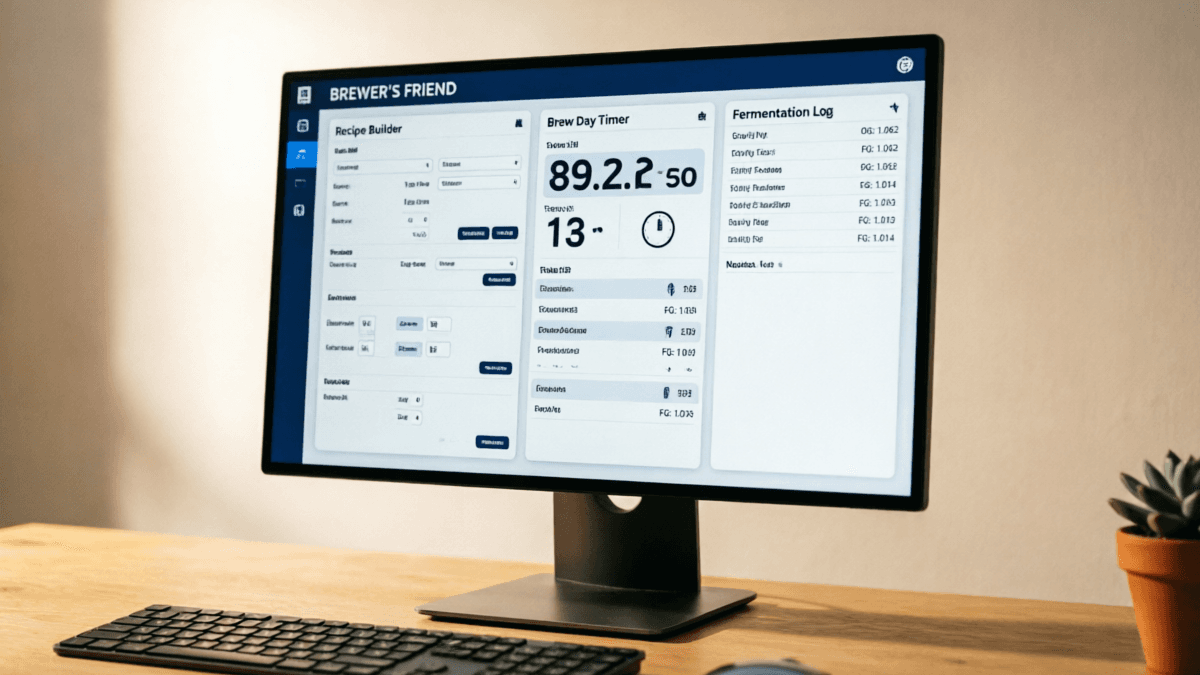
Brewer's Friend has been around since 2007 and occupies a unique niche: it's both a beer brewing tool and a community platform. Its free tier includes the recipe builder, basic calculators, and access to 100,000+ community recipes. The paid tier ($9.99/month) adds advanced water chemistry, Tilt integration, and unlimited recipe storage.
Where Brewer's Friend beats Brewtarget: Massive community recipe database, Tilt hydrometer integration, web-based (no install), active forums, and a recipe scale calculator that handles percentage-based adjustments well.
Where Brewtarget wins: Free unlimited use (Brewer's Friend's paid tier is $120/year), offline capability, faster performance with large recipe databases, no dependency on web servers, and cleaner BeerXML export.Brewer's Friend vs Brewtarget
My take: Brewer's Friend's strength is its community, not its software. If you want to browse and clone recipes from other brewers, it's excellent. As a pure beer recipe tool, Brewtarget is more capable and costs nothing.
Brewer's Friend ReviewHead-to-Head Feature Matrix
| Feature | Brewtarget | BeerSmith 4 | Brewfather | Brewer's Friend |
|---|---|---|---|---|
| Price | Free | $19.95-$49.95/yr | Free-$39.99/yr | Free-$119.88/yr |
| Cloud Sync | ✗ | ✓ | ✓ | ✓ |
| Mobile App | ✗ | ✓ | ✓ | ✓ |
| Offline Use | ✓ | ✓ | Partial | ✗ |
| Linux Support | ✓ | ✓ (new in v4) | ✗ | ✓ (web) |
| BeerXML | ✓ | ✓ | ✓ | ✓ |
| Water Chemistry | Basic | Advanced | Advanced | Advanced |
| Mash Designer | ✓ | ✓ | ✓ | Basic |
| Fermentation Tracking | ✗ | ✓ | ✓ | ✓ |
| Inventory/Cost | Basic qty | ✓ | ✓ | ✓ |
| Hardware Integration | ✗ | ✓ | ✓ | ✓ (Tilt) |
| Recipe Sharing | BeerXML | Cloud link | URL share | Community |
| Unlimited Recipes | ✓ | ✓ | Paid only | Paid only |
| Open Source | ✓ | ✗ | ✗ | ✗ |
Who Should Use Brewtarget in 2026?
Great Fit For:
- • Budget-conscious homebrewers
- • Linux users (only real option)
- • All-grain brewers who need mash design
- • Brewers who value data portability
- • Open-source advocates
- • Beginners learning brewing science
- • Brewers with older hardware
- • Offline/brewery environments without WiFi
Consider Brewtarget Alternatives If:
- • You need mobile access during brew day
- • You want cloud sync across devices
- • Advanced water chemistry is critical
- • You use a Tilt/iSpindle hydrometer
- • You want fermentation tracking
- • You brew commercially (need inventory cost)
- • You collaborate with brewing partners
- • You prefer modern, polished UIs
Final Verdict on Brewtarget
After three years and 200+ batches, my assessment of Brewtarget hasn't changed much from my first year: it's the best free beer brewing software available, and it's good enough that most homebrewers don't need to pay for anything else.
The accuracy is there. The core features - recipe design, mash calculations, BeerXML portability - are rock solid. The mash designer alone justifies keeping it installed. And the fact that it runs on any platform without requiring an account, internet connection, or subscription is genuinely valuable in a world where everything is moving to SaaS.
That said, the lack of cloud sync and mobile support is a real limitation in 2026. If you're brewing on a modern setup with a tablet propped next to your kettle, Brewtarget can't help you there. And if water chemistry is a big part of your process (it should be, especially for lighter styles), you'll need a supplementary tool.
Highly Recommended
Brewtarget delivers exceptional value as a free, open-source brewing tool. Its calculations are accurate, its BeerXML support ensures portability, and its cross-platform availability is unmatched. The dated UI and lack of cloud/mobile features keep it from a 5-star rating, but for homebrewers who prioritize function over form and value their independence from subscription software, Brewtarget remains an outstanding choice in 2026.
Frequently Asked Questions About Brewtarget
Is Brewtarget still worth using in 2026?
How does Brewtarget compare to BeerSmith 4?
Does Brewtarget work on Mac and Linux?
What are the main limitations of Brewtarget?
Can I import my recipes from BeerSmith or Brewfather?
Is Brewtarget suitable for commercial brewing?
Editorial Disclosure: This review is based on 3+ years of personal use of Brewtarget across 200+ batches. Brewtarget is free and open-source software - we received no compensation for this review. BarCarrera is reader-supported. If you choose to purchase a paid alternative through links on this page, we may earn a small commission at no additional cost to you. This does not influence our ratings or recommendations. All accuracy benchmarks were conducted by the author using identical recipes across platforms in June 2026.