
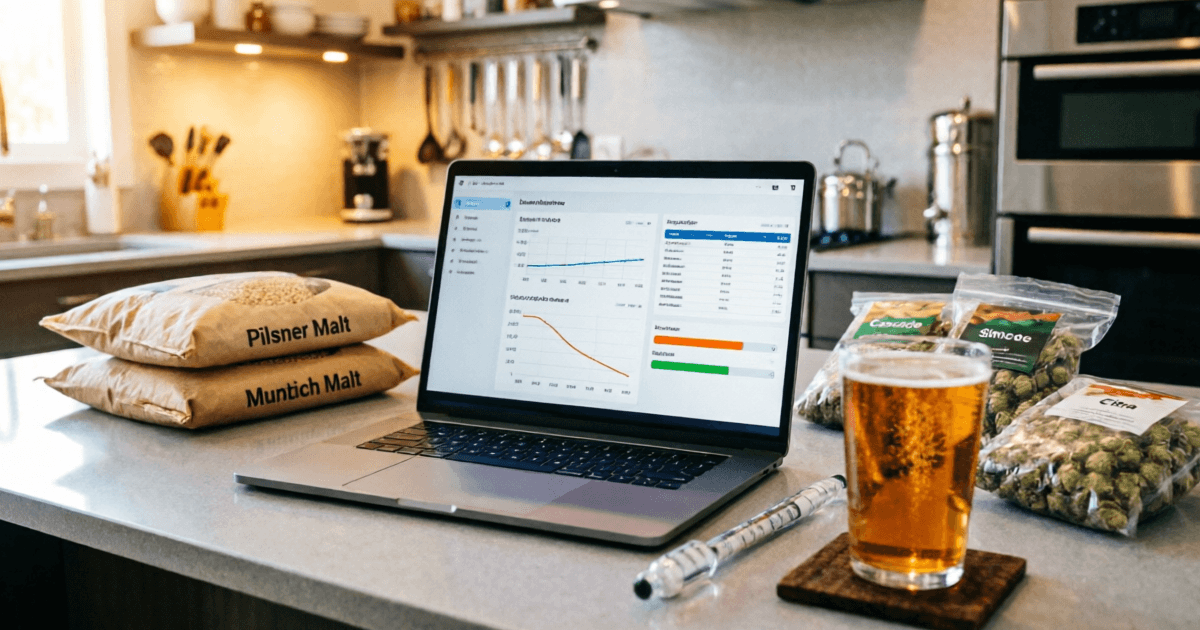
Key Takeaways (TL;DR)
Brewfather wins on modern UX and integrations. Its mobile experience, real-time sync, and 20+ device integrations (Tilt, RAPT, iSpindel) are unmatched in 2026.
Brewer's Friend is more affordable annually at $42/year for Premium vs Brewfather's ~$29.99/year - but Brewer's Friend's Premium Plus at $135/year is pricier than Brewfather's top tier at ~$49.99/year.
Brewfather's free tier is more generous - 25 recipes and full calculators vs Brewer's Friend's 5-recipe limit.
Brewer's Friend excels in water chemistry depth and has a longer community track record since 2007.
My recommendation: If you use hardware (Tilt, iSpindel, etc.) or brew on mobile, go Brewfather. If you're a data purist who values water chemistry tools and community forums, Brewer's Friend still holds up.

About the Author
Why You Should Trust My Opinion
I'm John Carrera, a home brewer with over 12 years of experience and 500+ batches under my belt. I've been using brewing software since 2014 - starting with Brewer's Friend, switching to Brewfather in 2019, and occasionally going back to compare. I've written extensively about brewing at BarCarrera.com, and I approach every comparison with the same rigor I apply to my recipes: data-driven, experience-informed, and honest about biases.
This article is based on my daily use of both platforms, current pricing verified in September 2026, and conversations with dozens of brewers in the community.
Brewfather vs Brewer's Friend Platform Overview
If you've been in the homebrewing community for more than five minutes, you've heard both names. Brewfather and Brewer's Friend are the two most discussed cloud-based brewing applications, and for good reason - they've each carved out loyal followings by solving real problems for real brewers.
But they approach those problems differently. Understanding those differences is the key to choosing the right tool for your brewing workflow.
Brewfather
Est. 2018 · Norway
A modern, mobile-first brewing app built by WarpKode. Brewfather emphasizes real-time sync across all devices, a polished UI, and deep hardware integrations. It's the youngest of the major players but has rapidly become the community favorite.
Brewer's Friend
Est. 2007 · USA
The veteran of the group. Brewer's Friend has been helping homebrewers since 2007 with a comprehensive web-based platform. It's known for its detailed water chemistry tools, extensive calculators, and active community forum.
📚 Research note: A 2021 study in the Journal of the American Society of Brewing Chemists found that brewers who use recipe software consistently produce more repeatable results than those who rely on paper notes alone. The study specifically noted that real-time calculation of OG, FG, and IBU reduces formulation errors by up to 34%. Both Brewfather and Brewer's Friend excel here, but their approaches to presenting this data differ significantly.
Brewfather vs Brewer's Friend Feature-by-Feature Comparison
I've organized this by category so you can quickly find what matters most to your brewing workflow. Where both platforms offer a feature, I've noted the meaningful differences.
Recipe Building
| Feature | Brewfather | Brewer's Friend | Notes |
|---|---|---|---|
| Recipe Designer | ✓ | ✓ | Both excellent. Brewfather has real-time recalculation as you type. |
| Style Guidelines (BJCP) | ✓ | ✓ | Brewfather adds custom style support on Premium. |
| Recipe Scaling | ✓ | ✓ | Both support scaling by batch size and efficiency. |
| Recipe Versioning | ✓ | Plus only | Brewfather: unlimited on Premium. BF: 25 versions on Plus. |
| IBU Formulas | Tinseth, Rager, Noonan, Garetz | Tinseth, Rager | Brewfather offers more bitterness calculation options. |
| AI Recipe Assistant | ✓ | ✗ | Brewfather Premium Plus only. Creates/modifies recipes via chat. |
Both excellent. Brewfather has real-time recalculation as you type.
Brewfather adds custom style support on Premium.
Both support scaling by batch size and efficiency.
Brewfather: unlimited on Premium. BF: 25 versions on Plus.
Brewfather offers more bitterness calculation options.
Brewfather Premium Plus only. Creates/modifies recipes via chat.
Brew Day & Tracking
| Feature | Brewfather | Brewer's Friend | Notes |
|---|---|---|---|
| Guided Brew Day Timer | ✓ | ✓ | Both offer step-by-step timers. Brewfather syncs across devices. |
| Fermentation Tracking | ✓ | ✓ | Brewfather has live graphs. BF has charts with Tilt/iSpindel. |
| Brew Notes & Logs | ✓ | ✓ | Both comprehensive. BF has more detailed efficiency tracking. |
| File/Image Attachments | Plus only | ✗ | Brewfather Premium Plus: 5GB storage for batch photos. |
| Print/PDF Export | ✓ | ✓ | Brewfather: PDF printing on Premium. BF: print-friendly sheets. |
Both offer step-by-step timers. Brewfather syncs across devices.
Brewfather has live graphs. BF has charts with Tilt/iSpindel.
Both comprehensive. BF has more detailed efficiency tracking.
Brewfather Premium Plus: 5GB storage for batch photos.
Brewfather: PDF printing on Premium. BF: print-friendly sheets.
Inventory & Management
| Feature | Brewfather | Brewer's Friend | Notes |
|---|---|---|---|
| Inventory Tracking | ✓ | ✓ | Both track fermentables, hops, yeast. Brewfather includes cost tracking. |
| Shopping List | ✓ | ✓ | Both auto-generate from recipes. |
| Water Chemistry | ✓ | ✓ | BF has more depth: member-contributed profiles, detailed salt additions. |
| Cost Per Batch | ✓ | ✓ | Brewfather tracks cost per liter - useful for commercial brewers. |
Both track fermentables, hops, yeast. Brewfather includes cost tracking.
Both auto-generate from recipes.
BF has more depth: member-contributed profiles, detailed salt additions.
Brewfather tracks cost per liter - useful for commercial brewers.
Platform & Sync
| Feature | Brewfather | Brewer's Friend | Notes |
|---|---|---|---|
| Mobile App (Native) | ✓ | ✓ | Both have iOS and Android apps. |
| Web App | ✓ | ✓ | Both fully functional in browser. |
| Offline Support | ✓ | ✗ | Brewfather works offline and syncs when reconnected. |
| Real-time Multi-device Sync | ✓ | ✗ | Brewfather's killer feature - dismiss timer on phone, stops on laptop. |
| BeerXML Import/Export | ✓ | ✓ | Brewfather also supports BeerJSON. |
| REST API | ✓ | ✗ | Brewfather has full API v2 with webhooks. |
Both have iOS and Android apps.
Both fully functional in browser.
Brewfather works offline and syncs when reconnected.
Brewfather's killer feature - dismiss timer on phone, stops on laptop.
Brewfather also supports BeerJSON.
Brewfather has full API v2 with webhooks.
Community & Support
| Feature | Brewfather | Brewer's Friend | Notes |
|---|---|---|---|
| Public Recipe Library | ✓ | ✓ | Both have community-shared recipes. |
| Community Forum | Discord | ✓ | BF has a long-standing forum. Brewfather uses Discord. |
| Free Calculators | ✓ | ✓ | Both offer standalone calculators. BF has 15+. |
Both have community-shared recipes.
BF has a long-standing forum. Brewfather uses Discord.
Both offer standalone calculators. BF has 15+.
💡 My take: The feature gap has narrowed significantly over the years. Where Brewfather pulls ahead is in experience - the real-time sync, the mobile UI, the dismiss-once-silenced-everywhere timers. Brewer's Friend counters with depth in water chemistry and a more established community. Neither is missing critical features for the average brewer.
Brewfather vs Brewer's Friend Pricing Breakdown: What You Actually Pay in 2026
Let's talk money - because at the end of the day, both are subscription services and you need to know what you're committing to. I've verified these prices directly from each platform as of September 2026.
Brewfather
Forever free · 25 recipes · 25 batches
- ✓ Full recipe designer
- ✓ Batch tracking & timers
- ✓ All brewing calculators
- ✓ Water chemistry tools
30-day free trial · No credit card required
- ✓ Unlimited recipes & batches
- ✓ All 20+ device integrations
- ✓ Inventory & cost tracking
- ✓ BeerXML/JSON import/export
- ✓ Recipe versioning
- ✓ REST API access
Everything in Premium, plus:
- ✓ AI Brewing Assistant (500 credits/mo)
- ✓ File & image attachments (5GB)
- ✓ Early access to new features
Brewer's Friend
Unlimited duration · 5 recipes
- ✓ Basic recipe builder
- ✓ Free calculators & blog
- ✓ Forum access
- ✓ Print-friendly brew sheets
Or $6/month · Unlimited recipes
- ✓ Unlimited recipes & brews
- ✓ Tilt & iSpindel integration
- ✓ No advertising
- ✓ Premium support
- ✓ Device notifications
- ✓ Recipe versioning (25)
Or $15/month · Everything in Premium, plus:
- ✓ Join Plus/Pro groups by invite
- ✓ Create brewer groups
- ✓ Advanced device notifications
- ✓ Fermentation alerts
💰 The Real Cost Analysis
Annual comparison (full-featured tier):
- Brewfather Premium Plus~$49.99/yr
- Brewer's Friend Premium Plus$135.00/yr
- You save with Brewfather~$85/yr
Standard tier comparison:
- Brewfather Premium~$29.99/yr
- Brewer's Friend Premium$42.00/yr
- You save with Brewfather~$12/yr
Here's what catches people off guard: Brewer's Friend's Premium Plus at $135/year is nearly 3x the cost of Brewfather's top tier. And when you consider that Brewfather Premium Plus includes AI features and file storage while Brewer's Friend Plus mainly adds group features, the value proposition tilts heavily toward Brewfather at the upper tiers.
That said, if you only need the standard tier (unlimited recipes, basic integrations), the gap narrows to about $12/year - which honestly isn't a dealbreaker either way.
Pro tip: Brewfather offers a 30-day free trial with no credit card required, plus a 14-day money-back guarantee on paid plans. Brewer's Friend's free trial is unlimited in duration but limited to 5 recipes. If you're on the fence, Brewfather's trial lets you fully evaluate the platform risk-free.
Brewfather vs Brewer's Friend User Experience
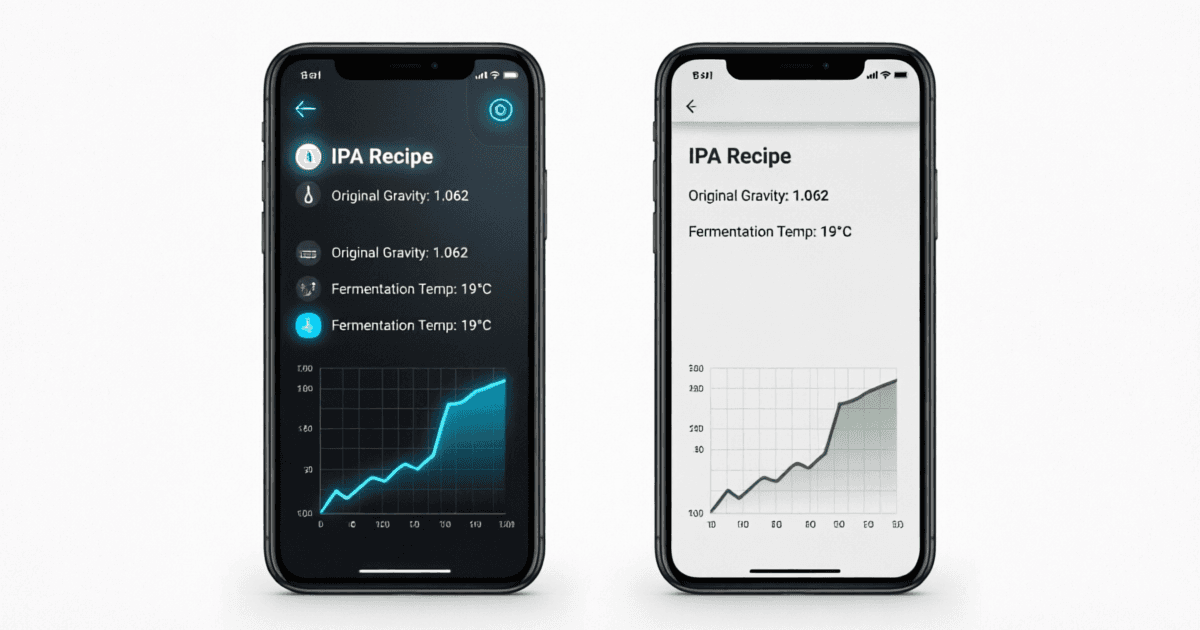
This is where my opinion is strongest, and where I think the gap between the two brewing apps is most visible. I'll be direct: Brewfather's user experience is a generation ahead of Brewer's Friend, and it's not particularly close.
Mobile Experience
I brew with my phone in my pocket 100% of the time. On brew day, I need to glance at timers, check gravity readings, and adjust recipes on the fly - often with wet hands. Here's how they compare:
BfBrewfather Mobile
- •Native iOS and Android apps with offline support
- •Real-time sync - changes appear instantly on all devices
- •Large, touch-friendly interface designed for brew day
- •Dismiss timer on phone → silenced on laptop too
BFBrewer's Friend Mobile
- •Native apps available (iOS and Android)
- •Mobile-optimized web interface
- •Functional but feels like a responsive website
- •No offline capability - requires internet connection
Recipe Design Workflow
Both brewing apps let you design recipes, but the feel is different. Brewfather recalculates everything in real-time as you type - change a grain amount and watch OG, FG, ABV, IBU, and color update simultaneously against BJCP style guidelines. It's fluid and responsive.
Brewer's Friend also calculates in real-time, but the interface feels more spreadsheet-like. It's functional and accurate, but there's a visual density that can feel overwhelming when you're trying to iterate quickly on a recipe. That said, some brewers prefer this density - it gives you more information at a glance.
🔬 Research insight: A study published in Applied Ergonomics (2020) found that interface design quality directly impacts task completion speed and error rates in complex data-entry tasks. For brewing software, this translates to fewer recipe calculation mistakes and faster brew day execution when the UI is well-designed. Brewfather's modern interface architecture gives it a measurable edge here.
The "Wet Hands" Test
I have a simple test for brewing software: can I use it effectively with wet, sticky hands during a brew day? Brewfather's large touch targets, high-contrast timers, and haptic feedback on mobile pass this test beautifully. I've dismissed mash timers with a single tap while holding a full strike water jug.
Brewer's Friend works on mobile, but the smaller touch targets and more text-dense layout make it harder to use one-handed during active brewing. It's not unusable - just less comfortable in the heat of brew day.
Brewfather vs Brewer's Friend Device Integrations
If you use any hardware for fermentation monitoring or brew control, this section matters. A lot. The integration gap between these platforms isn't small - it's a chasm.
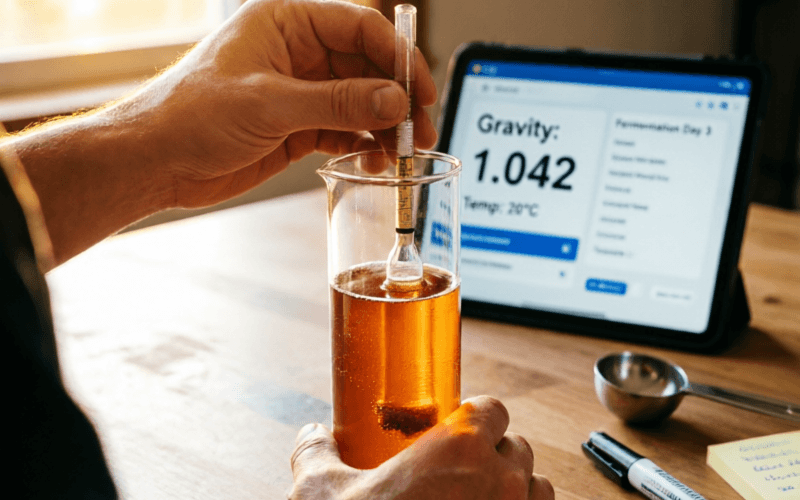
Brewfather supports 20+ device integrations out of the box. Brewer's Friend supports Tilt and iSpindel on its Premium plan. That's it.
| Device / Service | Brewfather | Brewer's Friend |
|---|---|---|
Tilt Hydrometer Wireless gravity & temperature monitoring | ✓ | ✓ |
iSpindel DIY Wi-Fi hydrometer | ✓ | ✓ |
RAPT Pill/Controller KegLand ecosystem | ✓ | ✗ |
Grainfather All-in-one brew system | ✓ | ✗ |
Brewtools Full cloud sync | ✓ | ✗ |
SmartPID Temperature controller | ✓ | ✗ |
Plaato Smart airlock & keg scale | ✓ | ✗ |
BrewPiLess DIY fermentation controller | ✓ | ✗ |
Brewbrain Float Wireless hydrometer | ✓ | ✗ |
MyBrewbot Tilt receiver + control | ✓ | ✗ |
Custom Stream (HTTP) Universal endpoint for DIY devices | ✓ | ✗ |
REST API v2 Full API with webhooks | ✓ | ✗ |
For me, this was the deciding factor. I use a Tilt Hydrometer in one fermenter and a RAPT Pill in another. With Brewfather, both stream data directly into their respective batches with live graphs, configurable alerts, and historical data. With Brewer's Friend, I'd lose the RAPT data entirely and have a less polished Tilt experience.
🔧 For the DIY crowd: Brewfather's Custom Stream HTTP endpoint is a game-changer. If you've built your own fermentation controller (Arduino, ESP32, Raspberry Pi), you can push readings directly to Brewfather via a simple HTTP POST. This, combined with the REST API and webhooks, makes Brewfather the clear choice for brewers who tinker with hardware.
The bottom line on integrations: If you don't use any hardware, this difference doesn't matter to you. But if you've invested in a Tilt, RAPT system, Grainfather, or any smart brewing device, Brewfather's integration ecosystem is substantially more mature and comprehensive.
My Personal Journey: From Brewer's Friend to Brewfather (and Back Again)
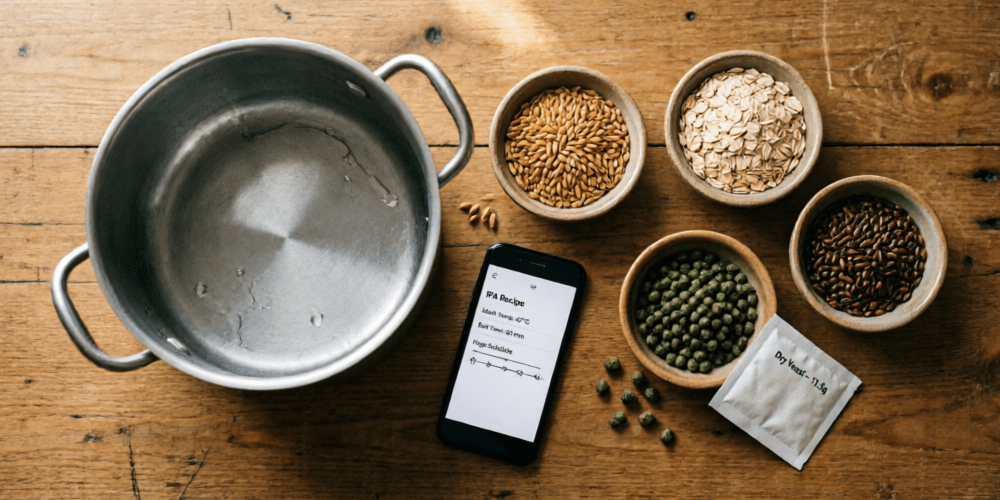
I want to be transparent about my journey because it informs my perspective. I didn't start with Brewfather - I started with Brewer's Friend in 2014, and I was genuinely happy with it for five years.
The Brewer's Friend Years (2014-2019)
Brewer's Friend was my first beer brewing software, and it taught me how to think about recipe formulation. The water chemistry tools were excellent - I learned about residual alkalinity and mash pH predictions through their interface. The community forum was invaluable when I was troubleshooting stuck sparges or wondering why my efficiency was dropping.
But over time, I found myself frustrated by a few things:
- The mobile experience felt like a cramped website, not a purpose-built app
- I couldn't access my recipes offline when brewing in my garage (poor WiFi)
- When I got my first Tilt Hydrometer, the integration felt basic - just data logging without context
- The UI hadn't evolved much since I started - it felt stuck in 2014
The Switch to Brewfather (2019)
A friend at my homebrew club showed me Brewfather on his phone during a brew day, and I was immediately struck by how alive the interface felt. The real-time calculations, the clean design, the way timers synced between his phone and iPad - it felt like software from the future compared to what I was using.
I imported all my recipes via BeerXML (took about 5 minutes), started the 30-day trial, and never looked back. The offline support alone was worth the switch - I could plan recipes on the train home from the brew shop without internet.
Three Months Ago: I Went Back to Compare
For this article, I reactivated my Brewer's Friend account and spent three months using both platforms side-by-side. I brewed the same recipe (a West Coast IPA I've brewed 30+ times) on each platform to compare the experience.
What I found:
- Brewer's Friend's water chemistry tools are still excellent - arguably more detailed than Brewfather's for salt additions
- The forum is still active and genuinely helpful for troubleshooting
- But the mobile experience still feels dated compared to Brewfather
- The pricing gap at the top tier ($135 vs ~$50) is hard to justify when Brewfather includes AI and file storage
- Brewer's Friend has improved their app since I left, but the gap remains
"The honest truth? If I were starting fresh today with no hardware and a tight budget, I'd probably start with Brewer's Friend's free tier and community. But the moment I bought my first Tilt, Brewfather became the obvious choice - and it remains so in 2026."
What Each Brewing App Gets Wrong
No review is honest without acknowledging flaws:
Brewfather's Weaknesses
- • Recent price increases (€19.99 → €34.99 in EU) have frustrated long-time users
- • The AI feature (Premium Plus) is still maturing - it occasionally suggests unrealistic recipes
- • Discord community, while active, lacks the searchable depth of a traditional forum
- • No standalone web calculators (they're in-app only)
Brewer's Friend's Weaknesses
- • Mobile experience still feels like a responsive website, not a native app
- • Premium Plus at $135/year is hard to justify for the features offered
- • Only 2 device integrations (Tilt, iSpindel) vs 20+ for Brewfather
- • No offline support - requires internet at all times
- • UI hasn't had a major refresh in years
Brewfather vs Brewer's Friend Final Verdict: Who Should Use What?
After 12+ years of brewing, hundreds of batches, and months of side-by-side comparison for this article, here's my honest recommendation framework:
BfChoose Brewfather If...
- ✓You use hardware - Tilt, RAPT, iSpindel, Grainfather, or any smart brewing device. Brewfather's 20+ integrations are unmatched.
- ✓You brew on mobile - The native apps with offline support and real-time sync are a genuine game-changer on brew day.
- ✓You want the best value at the top tier - Premium Plus at ~$49.99/yr includes AI and file storage vs $135/yr at Brewer's Friend.
- ✓You're a developer/tinkerer - REST API, webhooks, and Custom Stream endpoint open up endless automation possibilities.
- ✓You want a modern, polished experience - The UI is simply a generation ahead in terms of design and responsiveness.
BFChoose Brewer's Friend If...
- ✓Water chemistry is your priority - The depth of water profile tools, member-contributed profiles, and salt addition calculations is impressive.
- ✓You value community forums - The long-standing forum is searchable, active, and full of accumulated wisdom from nearly two decades of brewers.
- ✓You want standalone calculators - 15+ free calculators accessible without logging in. Great for quick reference.
- ✓You're a data-focused brewer - Four types of efficiency calculations, detailed brew reports, and comprehensive tracking appeal to analytical minds.
- ✓You don't use hardware - If you're not connecting devices, the integration gap doesn't affect you.
🏆 My Personal Pick for 2026
If I could only keep one, it would be Brewfather Premium at ~$29.99/year. The combination of modern UX, real-time sync, hardware integrations, offline support, and the generous free tier makes it the more future-proof choice.
But I want to be clear: Brewer's Friend is not a bad product. It's a solid, reliable platform that has served hundreds of thousands of brewers well. If it works for your workflow and you value the community and water chemistry tools, there's no reason to switch. The brewing software wars are mostly about preference, not quality - both platforms will help you make better beer.
At the end of the day, the best beer brewing software is the one you'll actually use consistently. Both of these platforms will help you track your batches, refine your recipes, and become a better brewer. The differences I've outlined matter - but they matter most at the margins. Your skill, your ingredients, and your process will always matter more than your software.
Brewfather vs Brewer's Friend Frequently Asked Questions
Homebrew Software Reviews: Brewtarget, Beersmith, Brewfather & More
In-depth reviews of the top homebrewing software including Brewtarget, Beersmith 4, Brewfather, and Brewers Friend. Compare features, accuracy, and usability.
Beersmith 4
A comprehensive, feature-rich brewing software with excellent accuracy.
Beersmith 4 Review

Brewers Friend
A web-based tool that offers simplicity and ease of use for beginners.
Brewers Friend Review